
Emote System
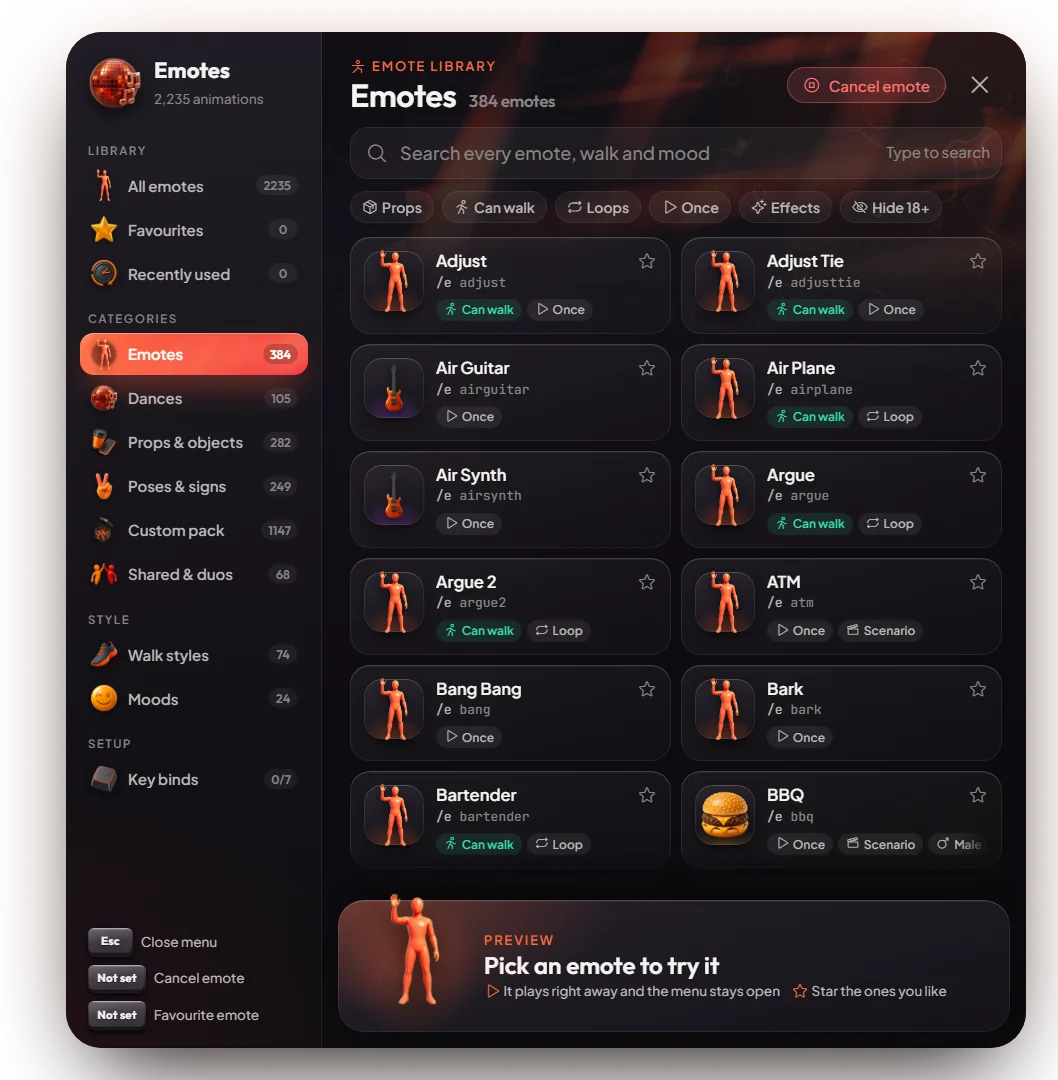
The emote browser with dances, props, walk styles, moods, key binds and shared emotes.
Emotes let your character dance, sit, point, hold objects and do animations together with other players.
How it works
- Press F5 (or type
/emotemenu). The browser opens and your mouse is free. - Pick a category: All emotes, Favourites, Recently used, Dances, Props, Poses, Shared and more.
- Click a card. Your character plays it at once and the menu stays open, so you can try many.
- Press Cancel emote in the browser, or type
/e c, to stop.
Search. Just start typing in the browser. The filters under the search box show only emotes with props, emotes you can walk with, loops, one-time emotes, effects, or hide 18+ emotes.
Favourites. Click the star on a card to save it. Recently used keeps your last emotes. Both are saved on your own PC.
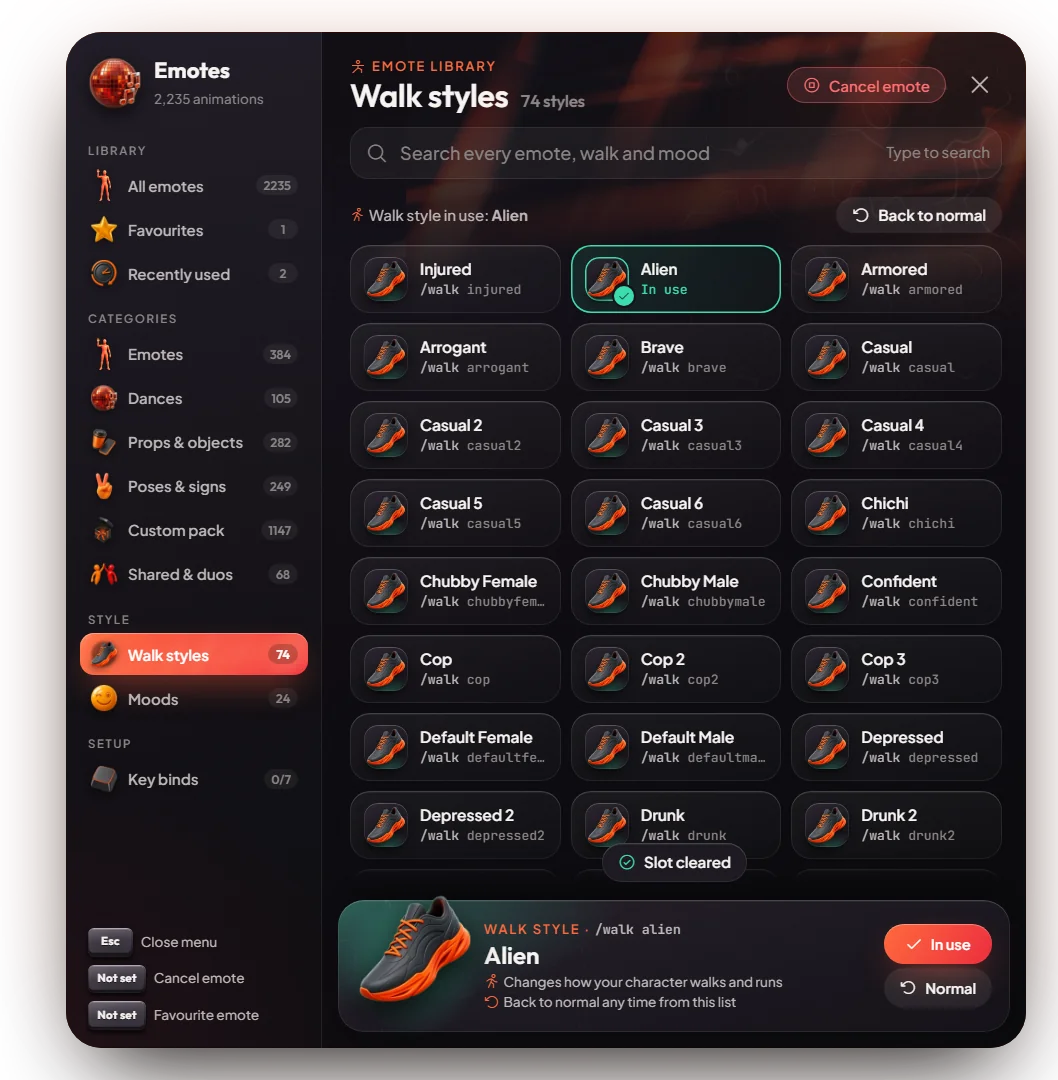
Walk styles and moods. Pick a walk style (for example Injured or Gangster) or a mood (a face expression, for example Angry or Happy) from their own pages.
Shared emotes. Hugs, handshakes, carries and duo dances:
- Stand close to the other player (about 3 m).
- Pick a shared emote and press Ask nearby.
- The other player presses Y to accept or L to refuse.
Keys & commands
| Key / command | What it does | Who |
|---|---|---|
F5 or /emotemenu | Opens the emote browser | Everyone |
/e c | Stops the emote. There is no default key; players can set "Cancel emote" in GTA's key settings. | Everyone |
| Num 4 to Num 9 | Plays the emote bound to slots 1 to 6 | Everyone |
/e <name> | Plays an emote by name, for example /e sit | Everyone |
/emotes | Lists all emote names in chat | Everyone |
/walk <style> | Sets a walk style. /walk reset goes back to normal. /walks lists them. | Everyone |
/nearby <name> | Asks the nearest player for a shared emote. /nearby lists them. | Everyone |
Customise in game
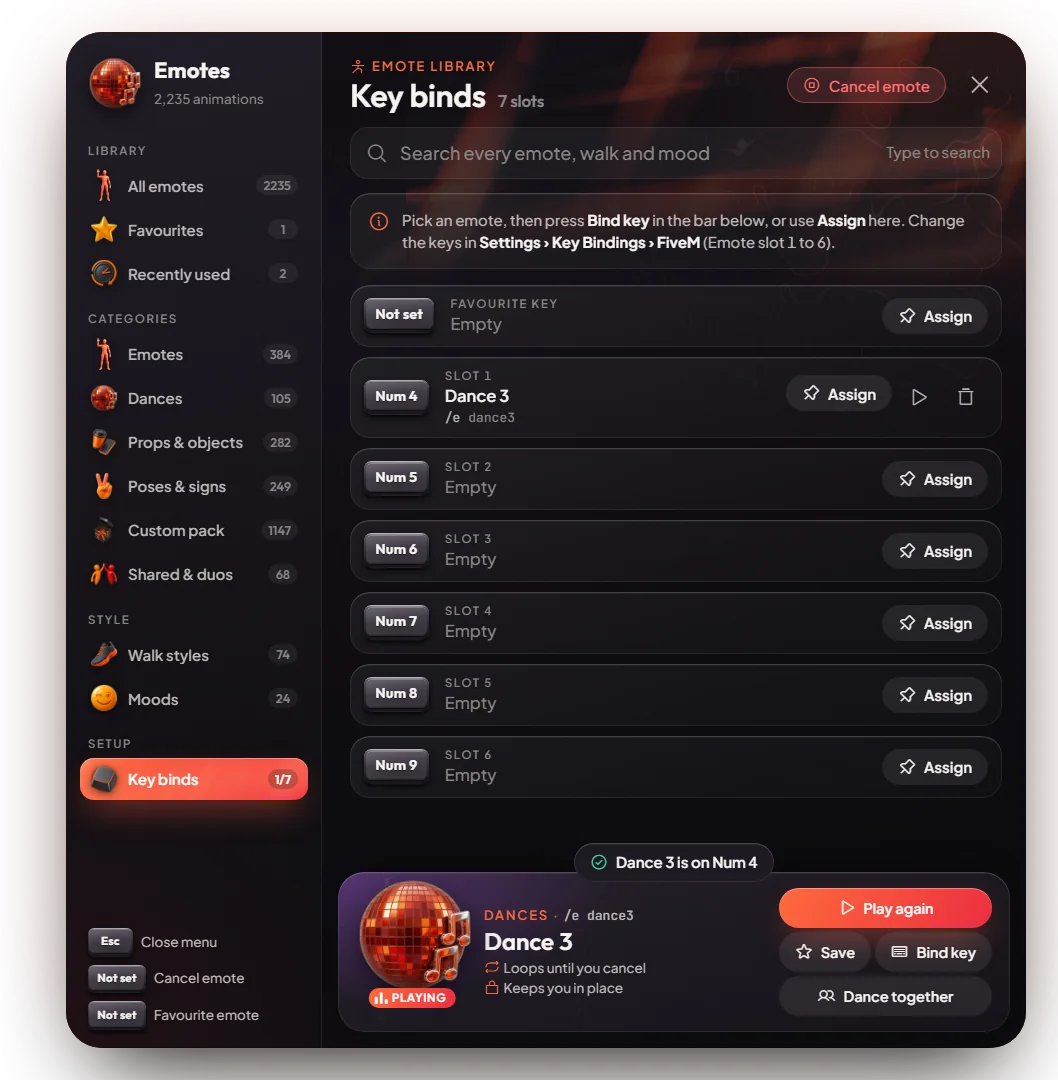
- Key binds: pick an emote, press Bind key and choose slot 1 to 6. The Key binds page lists your slots with play and clear buttons. Shared emotes cannot be bound.
- Favourite and cancel keys: neither has a key by default. Players can set them in GTA's Settings, Key Bindings, FiveM ("Play your favourite emote" and "Cancel emote").
- All emote keys can be changed in the same place.
Config options
File: [esx]/[emotemenu]/mvx_emotes/config.lua
| Option | What it changes | Example |
|---|---|---|
MenuKeybind | The key that opens the browser | 'F5' |
MenuKeybindEnabled | Set to false so only /emotemenu opens it | true |
CancelKeybind | Default key that stops emotes (empty means none; X is hands up) | '' |
FavKeybind | Default key for the favourite emote (empty means none) | '' |
AdultEmotesDisabled | Hides 18+ emotes for everyone | false |
SharedEmotesEnabled | Allows shared emotes | true |
WalkingStylesEnabled | Allows walk styles | true |
ExpressionsEnabled | Allows moods | true |
AllowedInCars | Allows emotes in a car (only the upper body moves) | true |
DisarmPlayer | Puts weapons away when an emote starts | false |
Restart mvx_emotes after a change.
Admin Quick Test
A second player is needed for shared emotes. Their server ID is <id> below (press F9 to see IDs).
Setup
- Stand on open ground, out of any vehicle. Nothing else is needed: emotes need no job, item or money.
Stage 1: the browser
- Press F5 (or type
/emotemenu). The browser opens with categories on the left and your mouse free. - Click Dances and click any card. Your character dances at once and the menu stays open.
- Press Cancel emote (or type
/e c). The dance stops. - Start typing
beer. The search finds emotes across all categories. Click one: your character holds a bottle (a prop). - Click the filter chips Props, Can walk and Hide 18+. The list changes each time.
Stage 2: favourites and key binds
- Click the star on a card. It shows under Favourites. Play a few emotes: they show under Recently used.
- Pick an emote, press Bind key and choose slot 1. Close the menu with Esc and press Num 4. The emote plays.
- Open Key binds in the browser. Slot 1 shows your emote with play and clear buttons. Press clear.
Stage 3: walk styles and moods
- Open Walk styles and click Injured (or type
/walk injured). You walk with a limp./walk resetgoes back to normal. - Open Moods and click Angry. Your character's face changes.
Stage 4: commands
- Type
/e sit. Your character sits. Type/e cto stand up. - Type
/emotesand/walks. The lists show in chat.
Stage 5: shared emotes
- Stand within 3 m of the second player and type
/nearby hug(or pick Hug under Shared and press Ask nearby). - The second player sees "Y to accept, L to refuse" and presses Y. You both hug. If they press L, nothing happens.
The end. Emotes play from the browser, the chat and numpad slots, walk styles and moods change your character, and shared emotes only start after the other player accepts.
If it doesn't work: the other player is more than 3 m away, you are in a vehicle (key binds do not play there), or
the option is turned off in the config (SharedEmotesEnabled, WalkingStylesEnabled, ExpressionsEnabled).