
Admin System
The staff tablet for watching players, teleporting, kicking, banning and cleaning up the city.
What it is
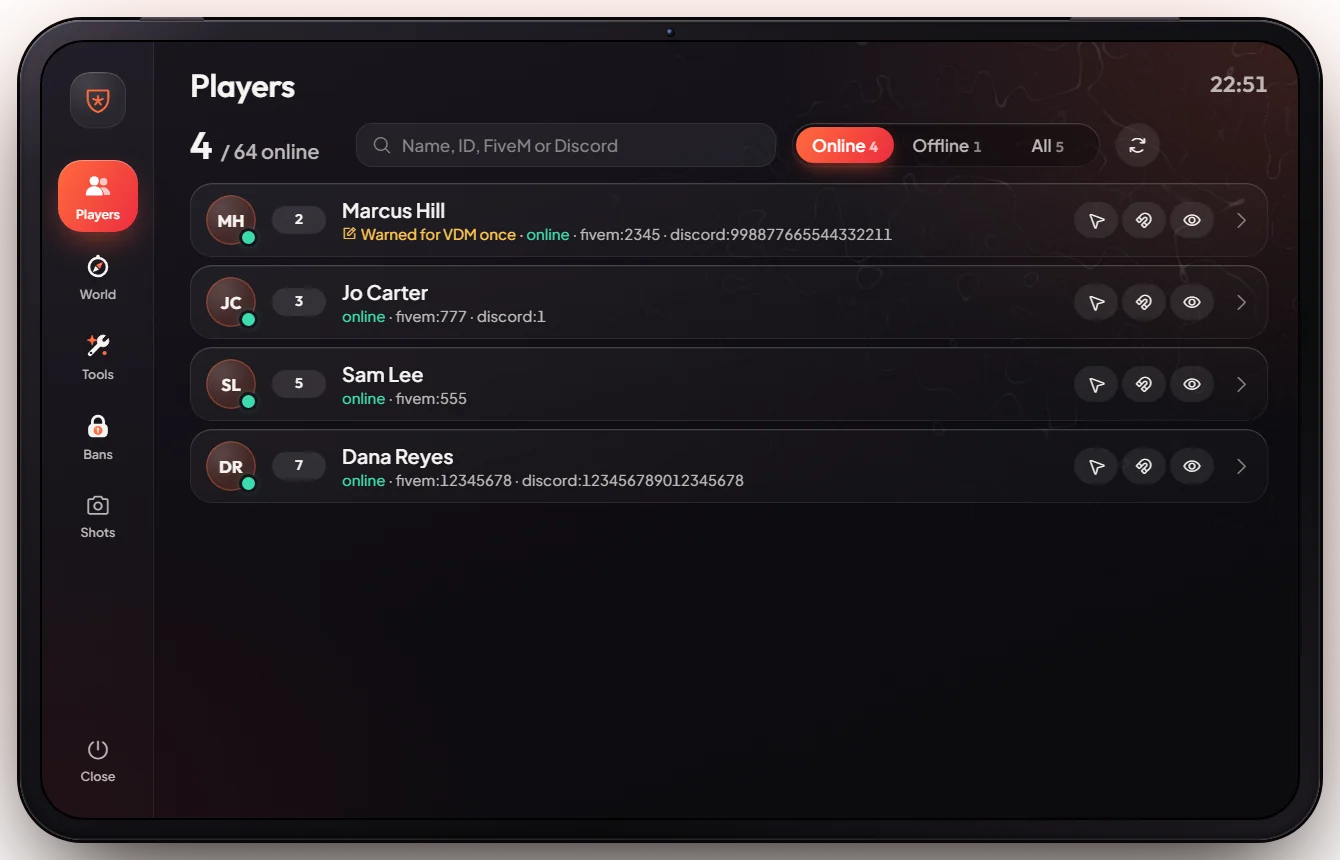
A tablet for staff. From it you see every player online, go to them, spectate, revive, kick or ban them, change the weather and clean up the area around you.
How it works
Open the tablet
Press HOME (or type /adminmenu). Close it with Esc.
Pick a tab
| Tab | What you do there |
|---|---|
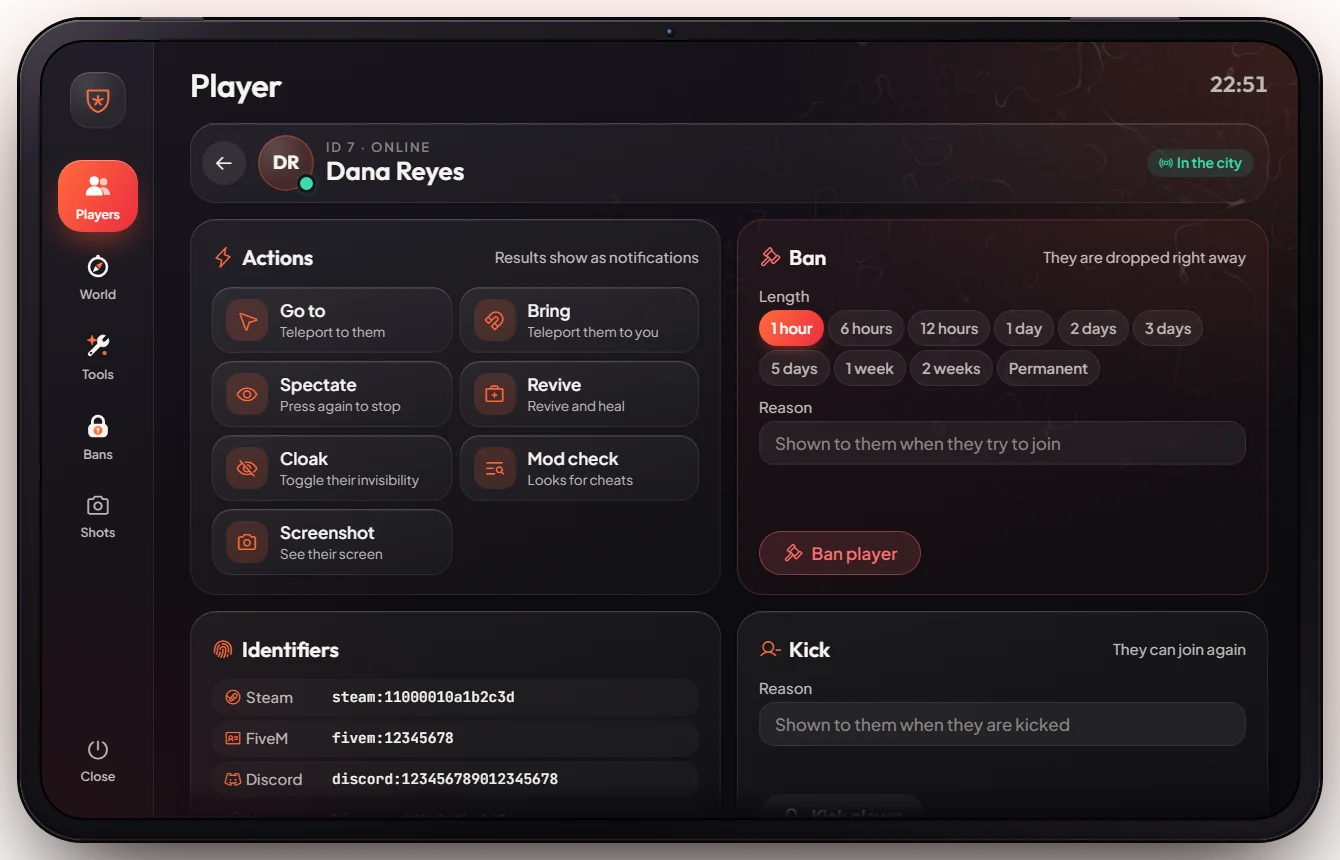
| Players | Search a player, then go to, bring, spectate, revive, cloak, check, take a screenshot of their screen, kick or ban |
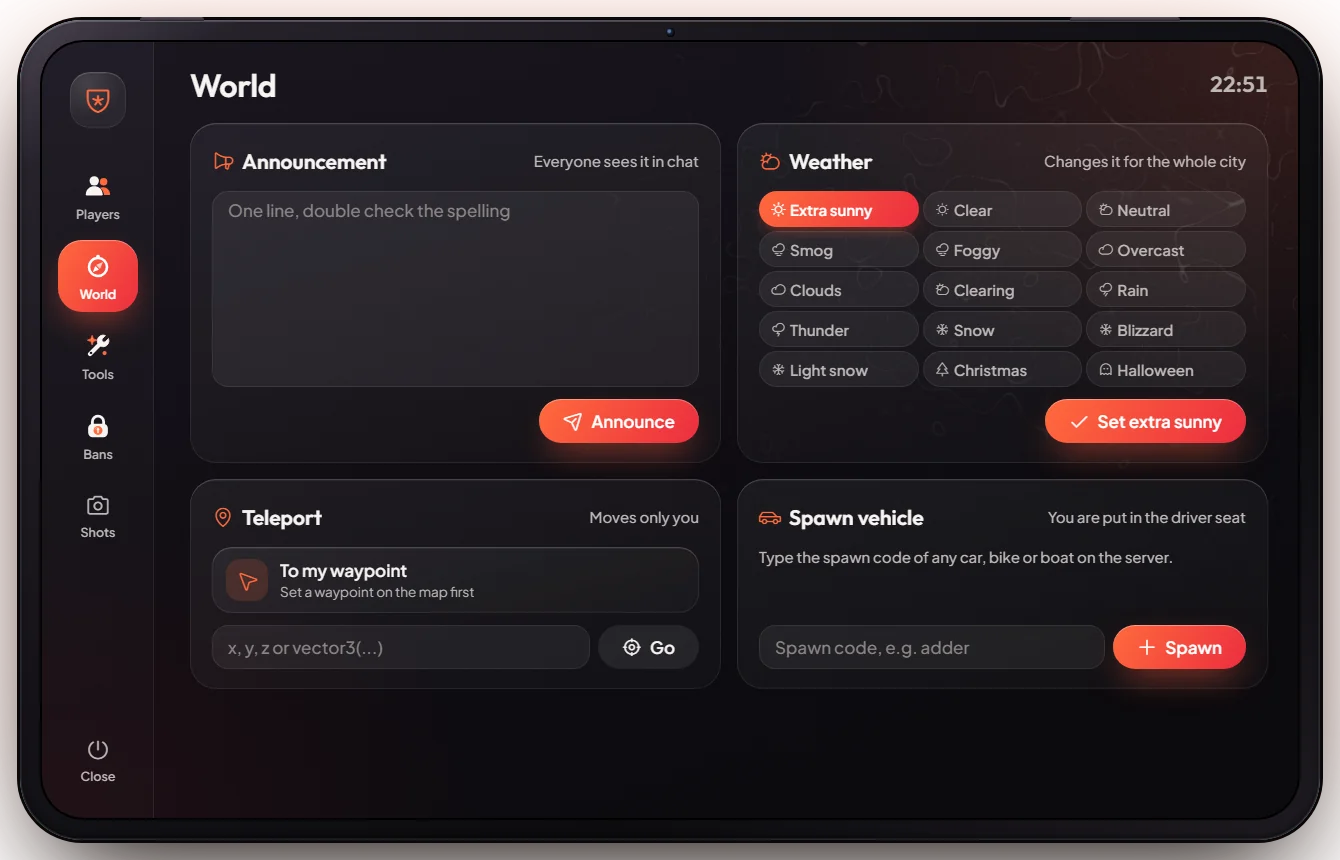
| World | Send an announcement, spawn a vehicle, teleport to your waypoint or to coordinates, change the weather |
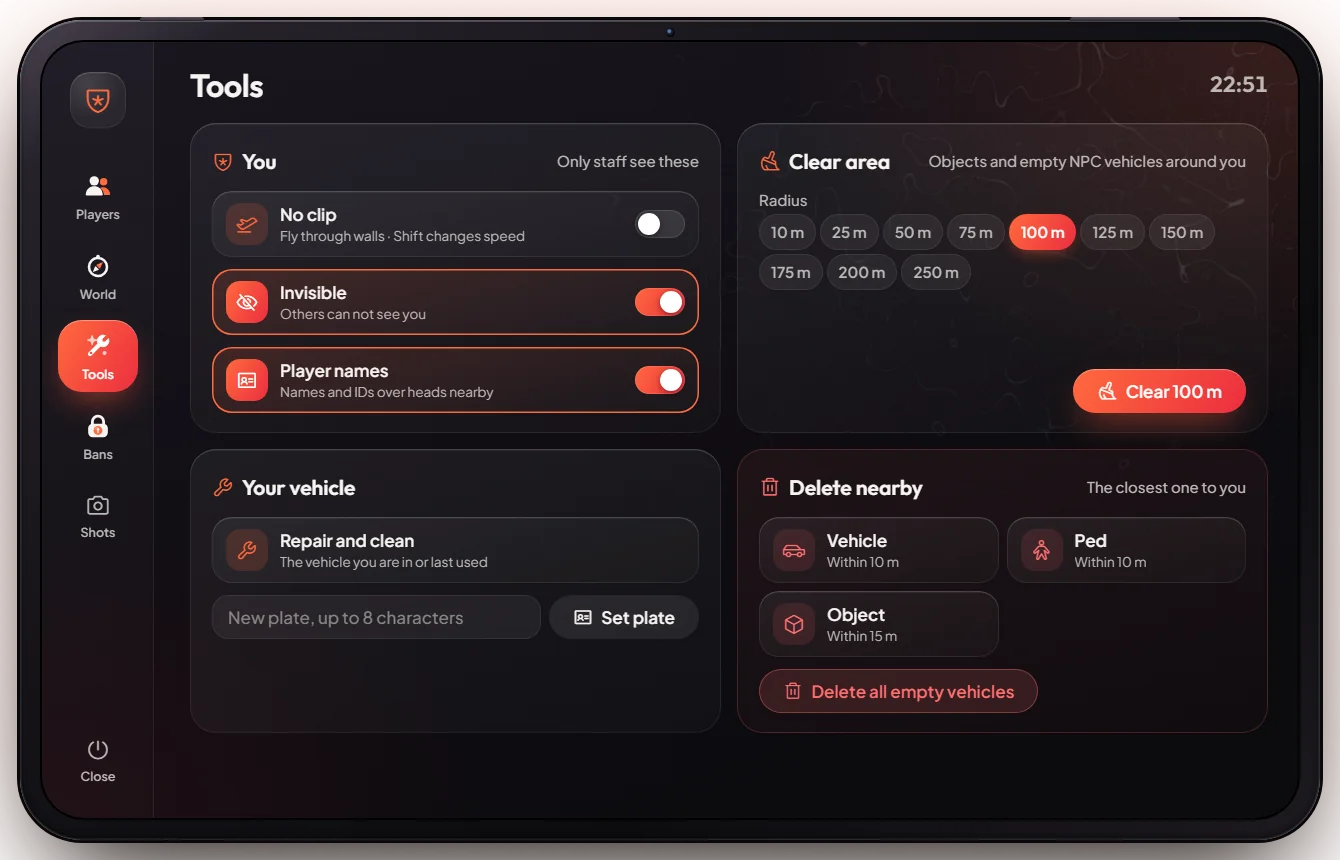
| Tools | No clip, invisible, player names, repair or re-plate your vehicle, clear the area, delete things nearby |
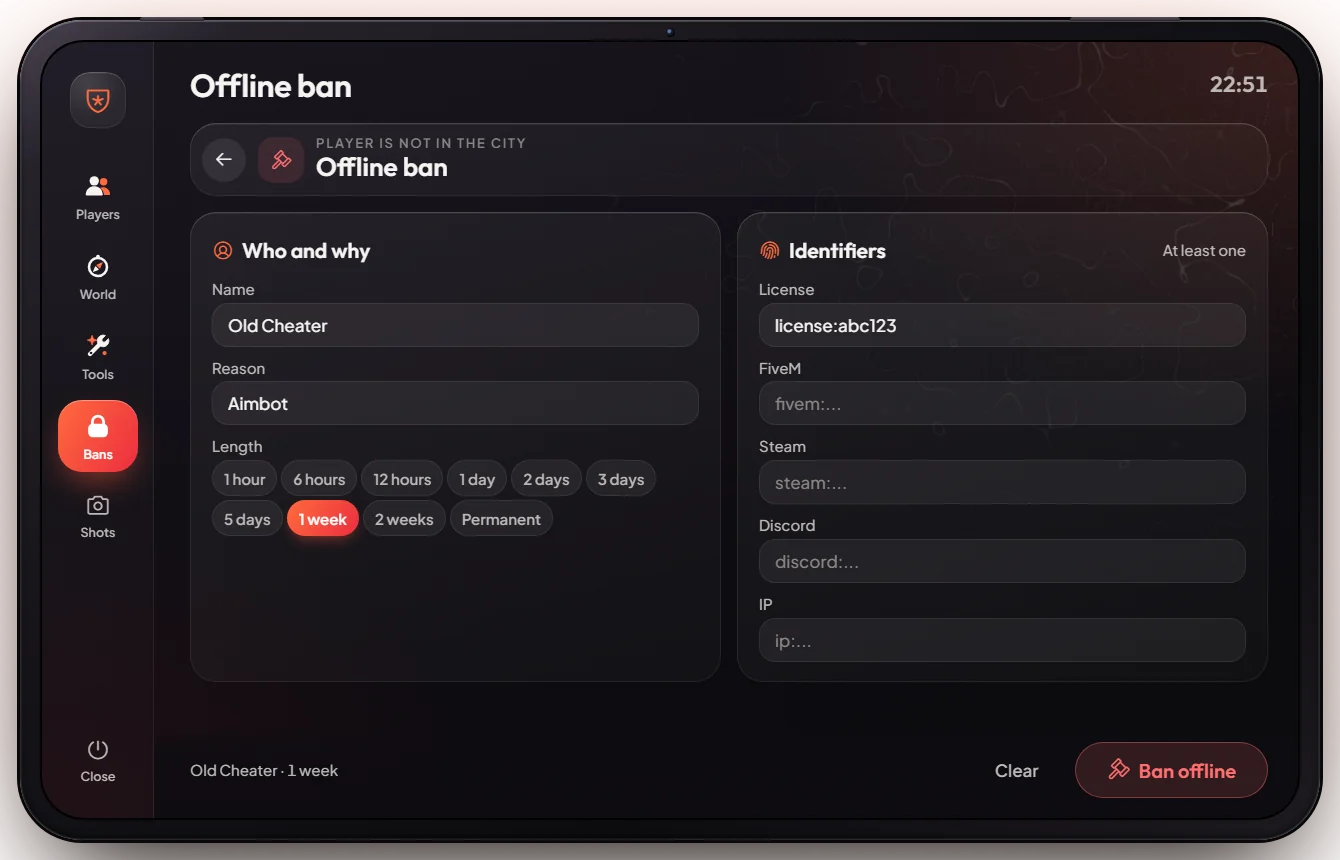
| Bans | See all bans, unban someone, or ban a player who is offline |
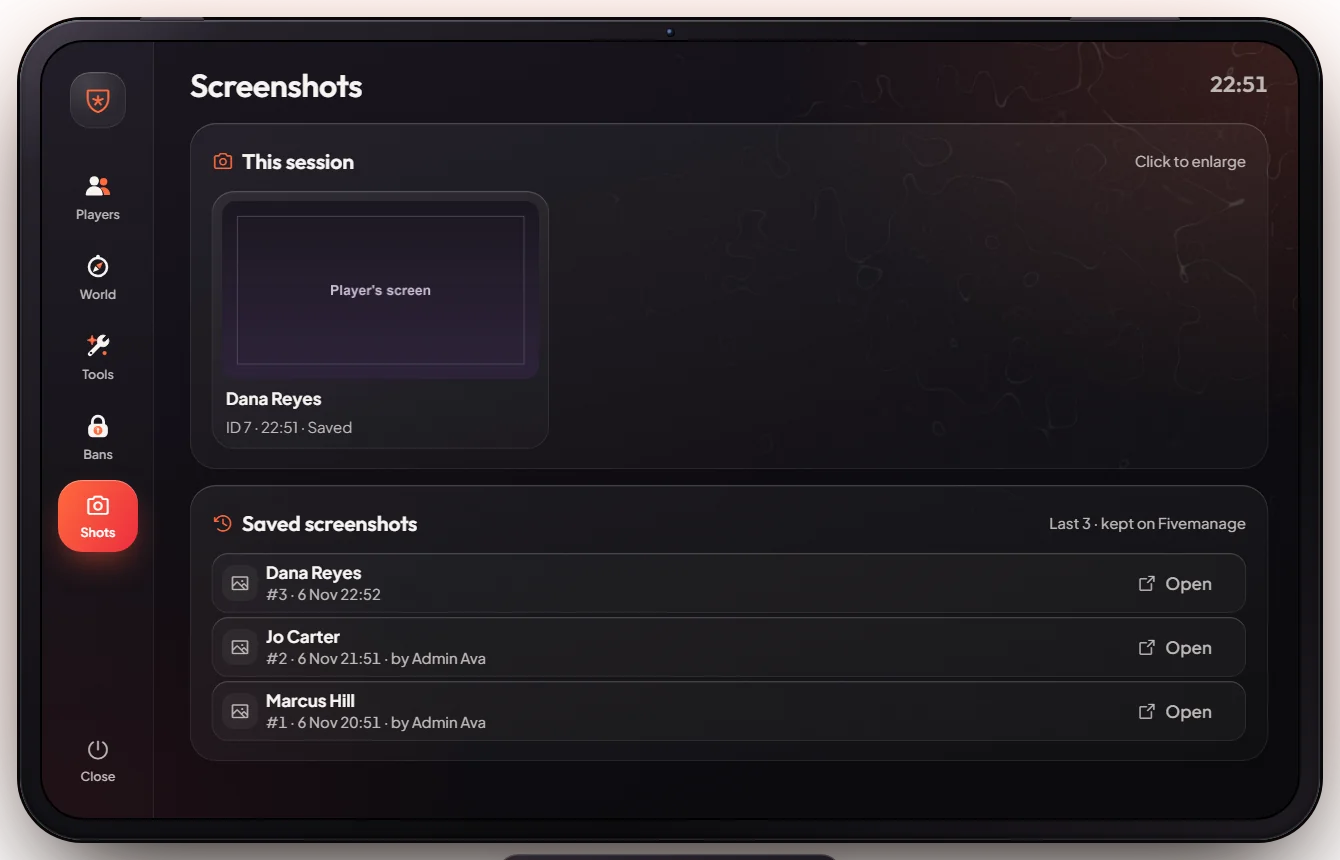
| Shots | The screenshots you took this session, plus the saved history (the last 60 screenshots any staff member took, kept on Fivemanage) |
Handle reports
Players send help requests with /report (or the pause menu button). Staff answer them in the report tablet on H. See Report menu.
When a player sends a blocked cheat event, the anticheat kicks them (it does not ban) and posts the kick in the anticheat log channel. Check the log and ban by hand if it was a real cheater.
Keys & commands
| Key / command | What it does | Who |
|---|---|---|
HOME or /adminmenu | Open the staff tablet | Staff |
| Page Down | No clip on / off | Staff |
/goto <id>, /tome <id> | Go to a player / bring them to you (staff only; same as the Go to and Bring buttons) | Staff |
/spectate <id> | Watch a player; type it again to stop | Staff |
/screenshot <id> | Take a picture of a player's screen | Staff |
/revive [id], /heal [id], /revivearea, /reviveall | Bring players back to life or heal them; no ID = yourself | Admin, owner, mod |
/setgroup <id> <group> | Give someone a staff rank | Admin |
/setjob <id> <job> <grade> | Set someone's job, e.g. /setjob 7 police 2 | Admin |
/giveaccountmoney <id> <money/bank/black_money> <amount> | Give money | Admin |
/giveitem <id> <item> <count> | Give an item | Admin |
/givecar <id> <model> | Put a car in a player's garage | Admin |
/car <model>, /dv, /fix | Spawn a temporary car, delete a car, repair your car | Admin |
/multijobremove <id> <job> | Remove a job from a player's My jobs list (for example after firing them while they were offline) | Admin |
<id> is the player's server ID, the number shown next to their name in the tablet and on the Scoreboard.
The tablet has no buttons for items, money or jobs. Admins use the chat commands above for that.
Customise in game
Staff ranks are set in game or from the txAdmin live console:
| Rank | What they can do |
|---|---|
mod, seniormod | Open the tablet and use everything in it (kick, ban, teleport, spectate, clean up) |
admin, owner | Everything, plus the give, job, car, weather and announcement commands and the staff report tablet. owner has all the rights of admin. |
user | A normal player |
Type setgroup 7 mod in the txAdmin console (or /setgroup 7 mod in chat as an admin). To remove a rank: setgroup 7 user.
Config options
Ranks and rights live in server-data/permissions.cfg.
| Option | What it changes | Example |
|---|---|---|
add_ace group.mod "echorp.mod" allow | Which ranks may open the tablet | already set for mod, seniormod, admin, owner |
add_principal identifier.license:... group.admin | Makes a player admin by their licence, even before they load in | one line per head admin |
add_principal group.owner group.admin (in server.cfg) | Gives the owner rank every right of admin | already set |
fivemanage_key (in server.cfg) | Fivemanage key used to save screenshots and card photos; without it nothing is saved | your API key |
| Discord logs | Kick, ban, anticheat and join/leave logs | set in Webhooks & Logs |
Logs: see Webhooks & Logs (channels admin_bans, admin_actions, anticheat and connections).
Admin Quick Test
A full check of the staff tablet and the main staff commands. A second player online (a friend or a second game) helps for the player actions.
Setup
- In the txAdmin live console type
setgroup <your id> admin. Your server ID is shown on the Scoreboard. - Press HOME. The tablet opens on the Players tab and you see yourself in the list with your server ID. If nothing opens, your rank is wrong (see step 1).
Players tab
- Click a player. Their card shows Actions (Go to, Bring, Spectate, Revive, Cloak, Mod check, Screenshot), Identifiers, Kick and Ban.
- Press Go to: you land next to them. Press Bring: they appear next to you.
- Press Spectate: the camera follows them. Press it again to come back.
- Press Screenshot: after a few seconds the picture of their screen shows under Last screenshot and in the Shots tab. A moment later it is marked Saved and appears under Saved screenshots.
World tab
- In Teleport type 144.30, -1037.46, 29.42 and press Go. You land at Legion Square. The same works with
/tp 144.30 -1037.46 29.42. - In Spawn vehicle type
adderand spawn it. The car appears next to you. - In Weather pick Rain. It starts raining for everyone. Pick Extra sunny to go back.
- In Announcement type "Test" and send it. Every player sees the message.
Tools tab
- Press Page Down (or the no clip switch). You fly; press it again to land.
- Sit in the adder, crash it, then use Your vehicle → repair. The car is fixed.
- Use Clear area. Loose cars and objects around you are removed.
Chat commands
- Type
/giveaccountmoney me money 100. Your cash goes up by $100 (check with/cash). - Type
/giveitem me water 1. Open your inventory with F2: one water is there. - Type
/setjob me police 0, then/job: it says police. Type/setjob me unemployed 0to go back. - Type
/healand/revive(without an ID they work on yourself). Your health is full. - Sit in a car and type
/dv. The car is deleted.
Bans tab
- Open Bans. The list loads (empty on a fresh server). Do not test a ban on yourself; ban and unban a second test account instead.
If it doesn't work: the tablet does not open → your rank has no staff rights, set it again in the console. Give, job and car commands say you have no permission → you are mod, not admin.