
Notification System
The pop-up messages every script uses, and the dispatch alerts that police and EMS receive.
All scripts on the server show their messages the same way: a small pop-up in the corner of the screen. Police and EMS also get dispatch alerts: cards that tell them about crimes and calls for help, with a place on the map.
How it works
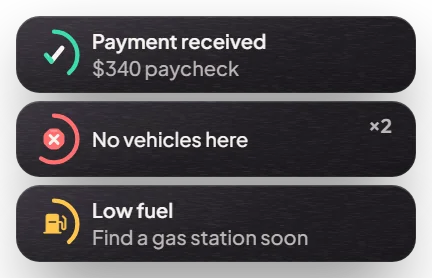
Notifications. When something happens (you get paid, a car is stored, an action fails), a pop-up appears at the top right for a few seconds. Green means success, red means an error, and the others are information or warnings. The same message twice shows a small counter (for example ×2) instead of a new pop-up.
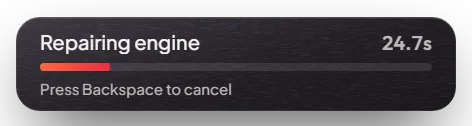
Progress bar. Actions that take time (repairing, crafting, picking) show a bar at the bottom of the screen with the seconds left. Some can be cancelled with Backspace.
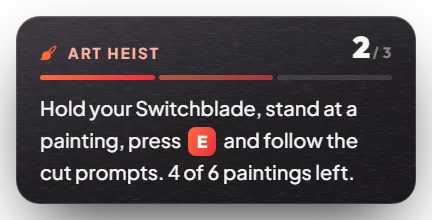
Objective card. During a job, heist or activity, a card at the top right tells you the current step, how many steps there are, and what to do next.
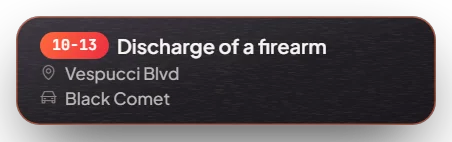
Dispatch alerts. Some actions in the city send an alert to the people on duty:
| Alert | Code | Who receives it |
|---|---|---|
| Shooting or drive-by | 10-13 | Police |
| Fight (melee) | 10-10 | Police |
| Car theft | 10-16 | Police |
| Speeding | 10-66 | Police |
| Suspicious person (drug sale: 10% chance for weed, 25% for other drugs, see Drugs System) | 10-66 | Police |
| Person down | 10-52 | Police and EMS |
| Officer down | 10-99 | Police and EMS |
/911 call | 911 | Police and EMS |
Not every crime sends an alert: there is a chance, and it depends on the area. Only players whose job is police or ambulance see the alerts. Each alert puts a blip on the map for a short time.
Menus and prompts
All menus on the server use the same dark style.
- Key prompts: near something you can use, a small prompt shows the key, for example E Open garage.
- Third eye: hold Left Alt and look at a person, car or object to see what you can do with it.
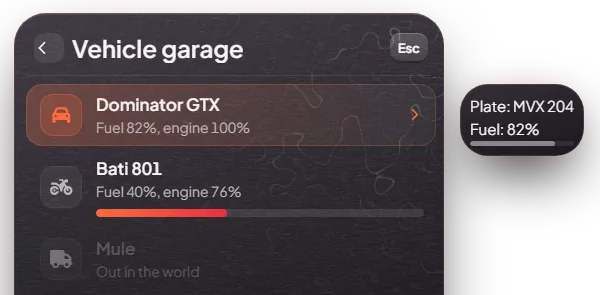
- Menus: lists of options, for example a garage or a shop menu. Click an option, or use the arrow keys and Enter. Esc goes back or closes the menu.
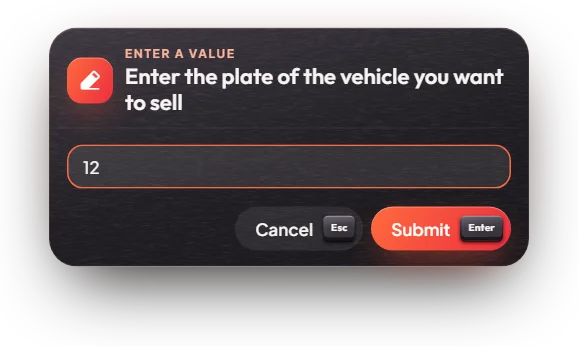
- Input boxes: when a script needs a number or text (an amount, a plate), a box asks for it. Enter sends it, Esc cancels.
- Radial menu: Z opens a round menu with quick actions.
Keys & commands
| Key / command | What it does | Who |
|---|---|---|
/911 <message> | Calls police and EMS to where you are. Your phone number (or name) is shown. | Everyone |
/911a <message> | The same call, but anonymous | Everyone |
| Y | Sets a waypoint to the last alert | Police and EMS |
| Send distress signal | When you are knocked down: sends a distress signal to police and EMS. For police and EMS it is an "officer down" call. It has no key by default: bind "Send distress signal to Police/EMS" in GTA's Settings, Key Bindings, FiveM | Everyone |
| E on the death screen | Sends a distress call to EMS (see Ambulance System) | Everyone |
There is a short wait between calls, so the same player cannot spam 911. To call only EMS, use /ems (see
Ambulance System).
Config options
File: [scripts]/[standalone]/mvx_notify/modules/dispatch_alerts/config.lua
| Option | What it changes | Example |
|---|---|---|
Config.Enable.Shooting | Alerts for gunshots | true |
Config.Enable.Speeding | Alerts for speeding | true |
Config.Enable.Autotheft | Alerts for car theft | true |
Config.Enable.Melee | Alerts for fights | true |
Config.Enable.PlayerDowned | Alerts when a civilian is knocked down and sends a distress signal | true |
Config.PhoneNumber | Show the caller's phone number instead of their name on 911 calls | true |
Set any alert to false to turn it off, then restart mvx_notify.
Admin Quick Test
Crime alerts are only sent by civilians and only seen by police and EMS, so the full test needs two players. In the
steps below, the second player's server ID is <id> (press F9 to see IDs).
Setup
- Type
/setjob <id> police 0. The second player is now police and will receive alerts. - Type
/setjob me unemployed 0. You are the civilian who causes the alerts. - Type
/giveitem me WEAPON_PISTOL 1and/giveitem me ammo-9 50. - Teleport somewhere busy in the city, for example Digital Den: -657.06, -858.71, 23.50 (
/tp -657.06 -858.71 23.50).
Stage 1: normal notifications
- Type
/911with no message. A red error pop-up asks you to add a message. - Press F2 and drag the pistol to a hotbar slot. Small pop-ups confirm inventory actions.
Stage 2: a 911 call
- Type
/911 test call. You get a green "sent" pop-up. - The police player gets a 911 card with your phone number (or name), the street and a blip on the map.
- The police player presses Y. A waypoint is set to the call.
- Wait 30 seconds (the wait between calls), then type
/911a test call. This time the card says Unknown caller.
Stage 3: crime alerts
- With civilians (NPCs) around you, fire the pistol in the air a few times. After a moment the police player gets a 10-13 Discharge of a firearm card. It is a chance, so it may take a few tries. It is more likely with more people around, and less likely at night.
- Steal a parked NPC car or drive very fast through the city. These can send 10-16 (car theft) and 10-66 (speeding) alerts in the same way.
Stage 4: person down
- Type
/kill me. You fall down. - Press the key you bound to "Send distress signal to Police/EMS" (it has no key by default; bind it first in Settings, Key Bindings, FiveM). The police player gets a 10-52 Person is injured card. If you are police or EMS yourself, it is a 10-99 Officer is down card instead.
- Type
/revive meto get up again.
The end. Police (and EMS for 911, person down and officer down) see alert cards with a map blip, Y sets a waypoint, and civilians never see alert cards.
If it doesn't work: the receiving player is not on the police or ambulance job, nobody (no NPCs) was nearby so no
witness reported the crime, the 30-second wait between 911 calls has not passed, or the alert is turned off in the config.
Set Config.DebugChance = true in the config to make every crime send an alert while you test, and set it back
to false after.