
Scoreboard
Press F9 to see who is online and how many police, EMS and mechanics are on duty.
Press F9 to show or hide the scoreboard. Players can change this key in GTA's Settings, Key Bindings, FiveM ("Show / hide scoreboard").
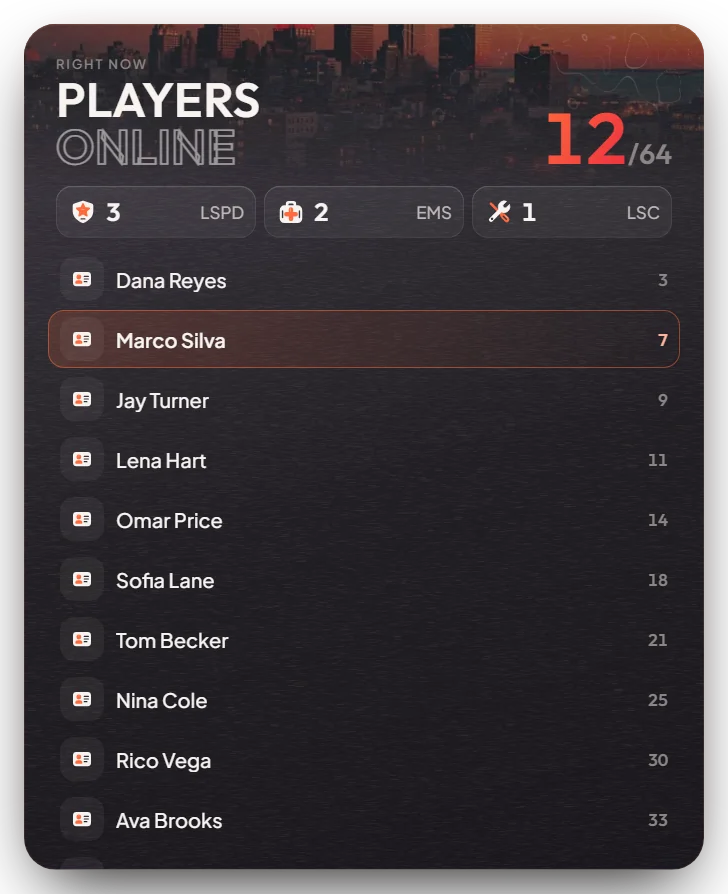
What it shows
- At the top: how many players are online out of the server slots, and how many police, EMS and mechanics are on duty.
- The list: every player's name and server ID, with a small icon if they work for one of those services. Your own row is marked.
The mouse is not taken while the board is open, so you can keep driving or walking. Long lists scroll.
Admin Quick Test
- Press F9. The board shows players online out of the slots, the police, EMS and mechanic counts, and the player list with your own row marked.
- Type
/setjob me police 0and press F9 twice. The police count goes up by one and your row shows the police icon. - Type
/setjob me ambulance 0, then/setjob me mechanic 0, checking the board each time. The EMS and then the mechanic count change. - Type
/setjob me unemployed 0. All three counts go back down.
If it doesn't work: the player's job name is not exactly police, ambulance or mechanic, or the key was changed in GTA's key settings.