
Inventory System
Everything a player carries, plus car trunks, gloveboxes and stashes.
What it is
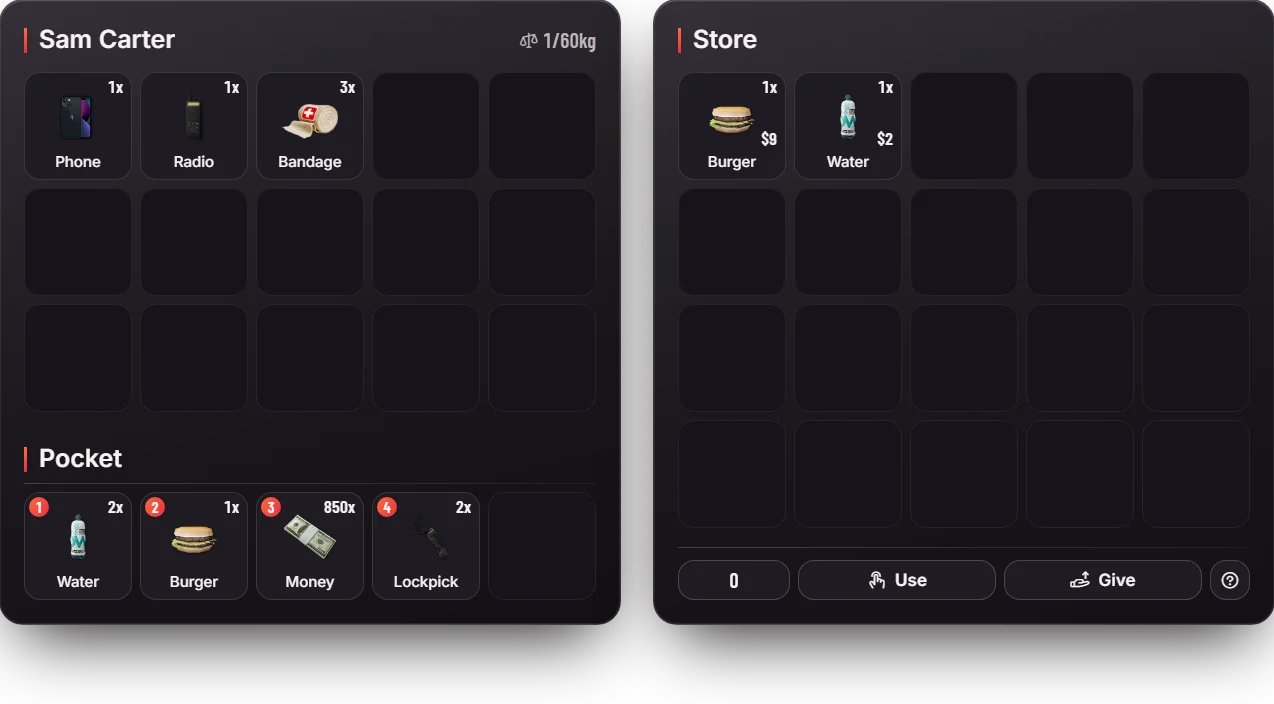
The inventory holds every item a player carries: food, tools, weapons, and also cash. The same screen opens car trunks, gloveboxes, stashes and shops.
How it works
- Carry limit. Every player has 50 slots and can carry up to 60 kg.
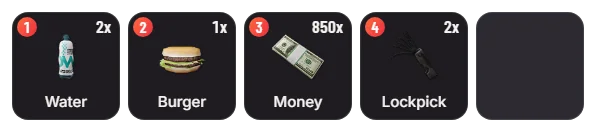
- Use an item. Right-click an item and choose Use, or put it in slots 1 to 5 and press that number. Food and drinks fill your hunger and thirst.
- Give an item. Drag it onto Give, pick a nearby player from the list.
- Drop an item. Drag it out of your inventory; it drops as a bag on the ground that anyone can pick up.
- Trunks and gloveboxes. Stand at the back of a car and press K for the trunk; in the car, K opens the glovebox.
- Stashes. Lockers, house storage, motel stashes and job stashes open next to your inventory, mostly with the third eye (hold Left Alt).
- Shops. Shopkeepers open their shop next to your inventory. See Shops System.
- Loot. Unlocked parked cars and dumpsters can hold random small loot.
Keys & commands
| Key / command | What it does | Who |
|---|---|---|
| F2 | Open your inventory | Everyone |
| K | Open the trunk, glovebox or stash near you | Everyone |
| TAB | Show the hotbar | Everyone |
| 1 to 5 | Use the item in hotbar slot 1 to 5 | Everyone |
/giveitem <id> <item> <amount> | Give an item to a player | Admins |
/removeitem <id> <item> <amount> | Take an item away | Admins |
/viewinv <id> | Look at a player's inventory | Admins |
/clearinv <id> | Empty a player's inventory | Admins |
Players can change the keys in Settings > Key Bindings > FiveM.
Config options
File: server-data/oxinventory.cfg (items are listed in [ox]/ox_inventory/data/items.lua).
| Option | What it changes | Example |
|---|---|---|
inventory:slots | Slots per player | 50 |
inventory:weight | Carry limit in grams | 60000 |
inventory:keys | Default keys: inventory, other inventory, hotbar | ["F2", "K", "TAB"] |
inventory:police | Jobs that may use police armouries and evidence | ["police"] |
inventory:giveplayerlist | Show a list of nearby players when giving | true |
inventory:dropprops | Dropped items show as a bag on the ground | true |
inventory:randomloot | Random loot in cars and dumpsters | true |
inventory:clearstashes | Empty stashes nobody touched for this long | "6 MONTH" |
inventory:screenblur | Blur the game behind the open inventory | true |
Admin Quick Test
Setup
- Give yourself test items:
/giveitem me water 2and/giveitem me burger 1. Expected: a small pop-up for each item. - Give yourself cash:
/giveaccountmoney me money 100. Cash shows as themoneyitem in your inventory.
Your inventory
- Press F2. Expected: your inventory opens with 50 slots and a 60 kg limit, and the game blurs behind it.
- Drag one water to slot 1 and close. Press 1. Expected: you drink, one water is gone and thirst goes up.
- Press TAB. Expected: the hotbar with slots 1 to 5 shows.
- Open the inventory, right-click the burger and choose Use. Expected: you eat it and hunger goes up.
Trunk, glovebox and ground
/car sultan. Sit in it and press K. Expected: the glovebox opens next to your inventory.- Get out, stand at the back and press K. Expected: the trunk opens. Move the second water into it.
- Drag an item out of your inventory onto the ground side. Expected: a bag drops on the floor; open it and take the item back.
Shop
- Teleport to the 24/7 on Innocence Blvd:
/tp 24.40 -1347.47 28.50. Third eye on the shopkeeper. Expected: the store opens next to your inventory, with water at $2 and burgers at $9. - Buy one water with cash. Expected: $2 less cash and one more water.
Admin tools
/viewinv <id>shows a player's inventory,/removeitem me water 1takes one water away, and/clearinv <id>empties an inventory.
The end
- Clean up with
/dv. Result: items were used, moved, dropped, bought and removed.
If it doesn't work
K opens nothing: the car is locked or you are not at the back. The player may have changed their keys in Settings > Key Bindings > FiveM.