
Pause Menu
The Esc menu with your character overview, settings, the key list and the map.
Pressing Esc opens the Mavix pause menu instead of GTA's own.
How it works
The menu has three tabs.
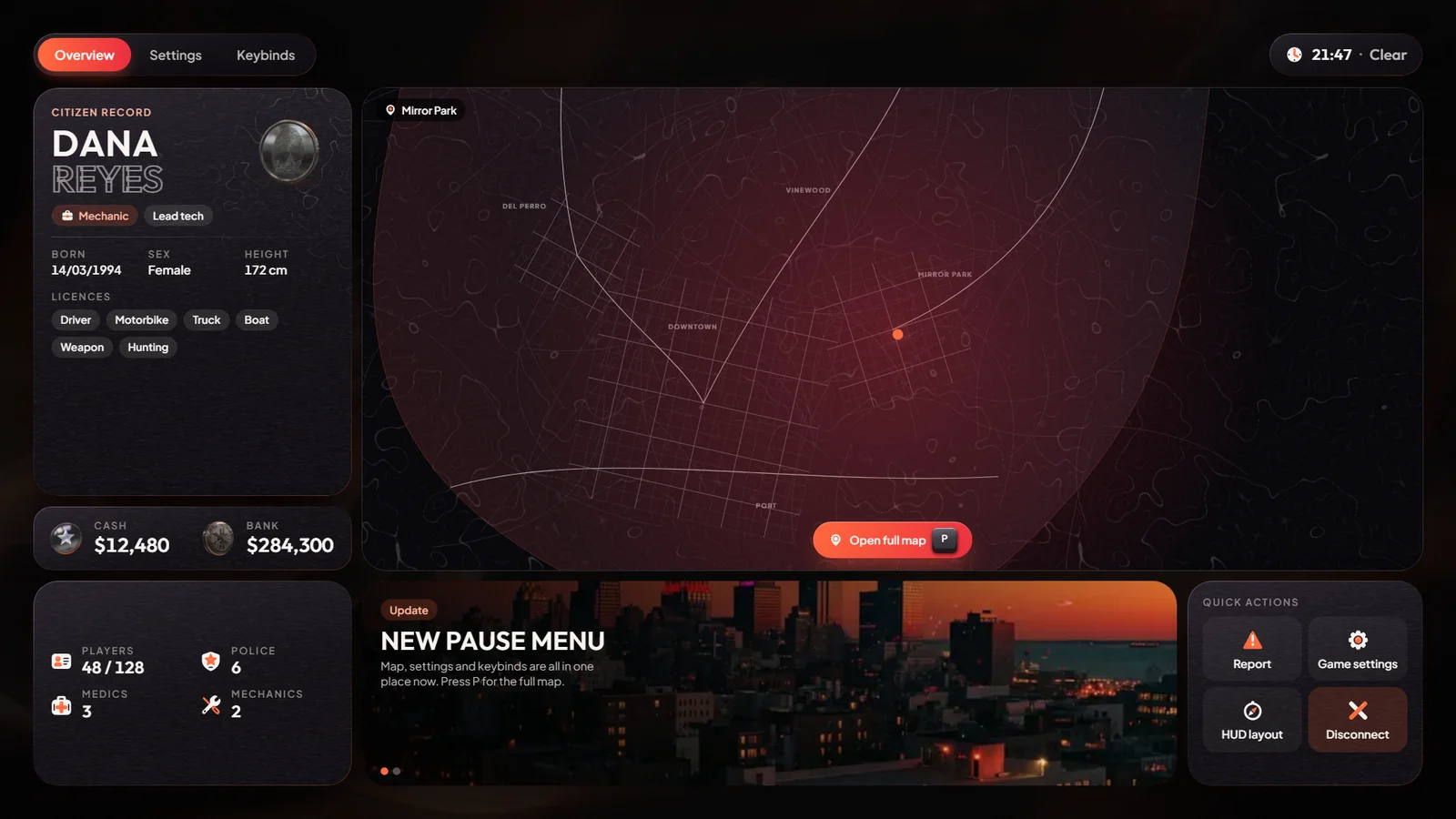
- Overview: your name, job and rank, date of birth, height, cash and bank, licences, where you are, the time and weather, players online and how many police, EMS and mechanics are on duty. There is also a news tile and these buttons:
- Open full map: GTA's big map.
- Game settings: GTA's own settings (graphics, sound, key bindings).
- Report: opens the report menu (see Misc Systems).
- HUD layout: opens the HUD settings.
- Disconnect: asks to confirm, then leaves the server.
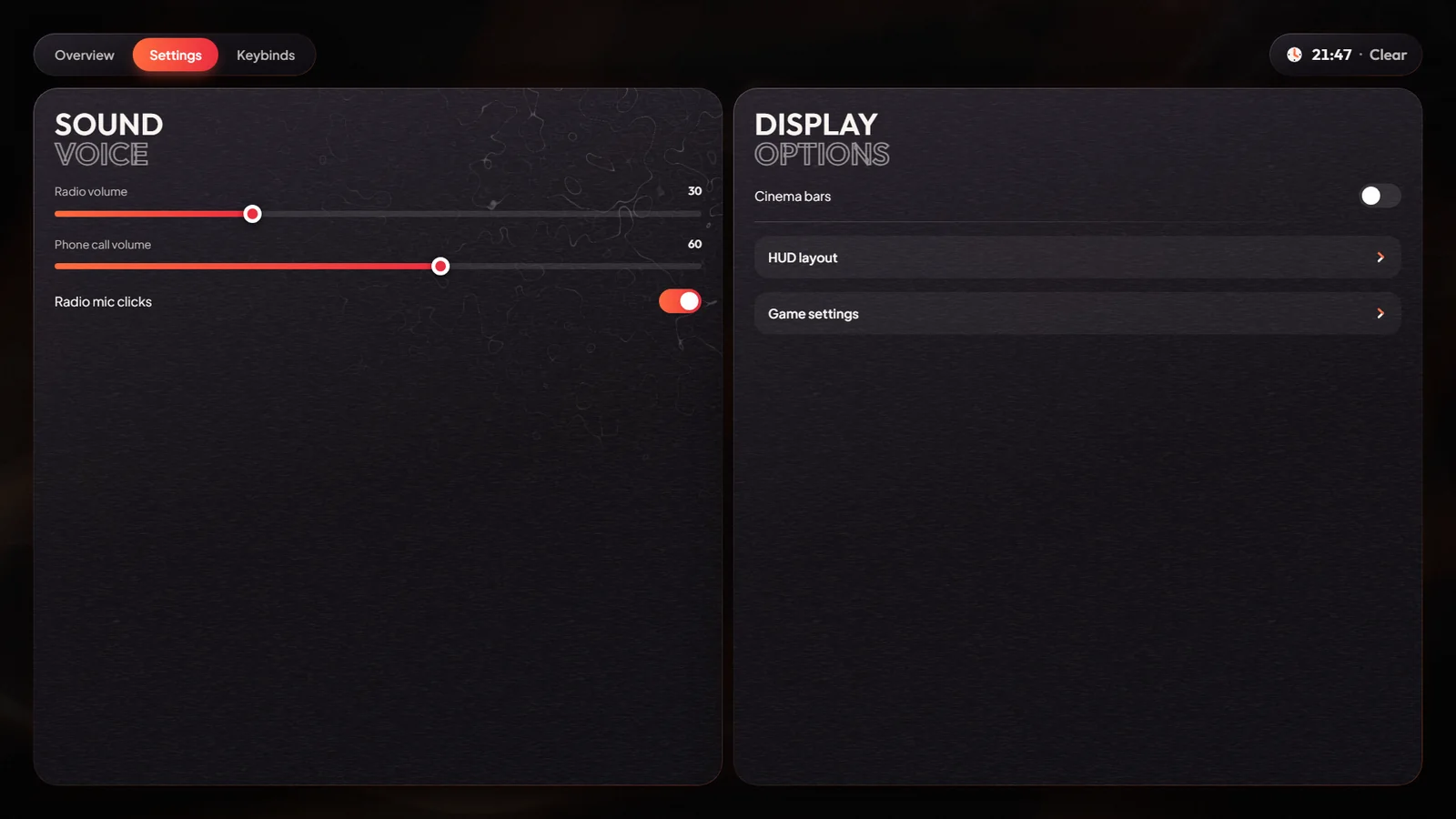
- Settings: radio volume, call volume, radio click sounds and cinema bars (black bars at the top and bottom of the screen).
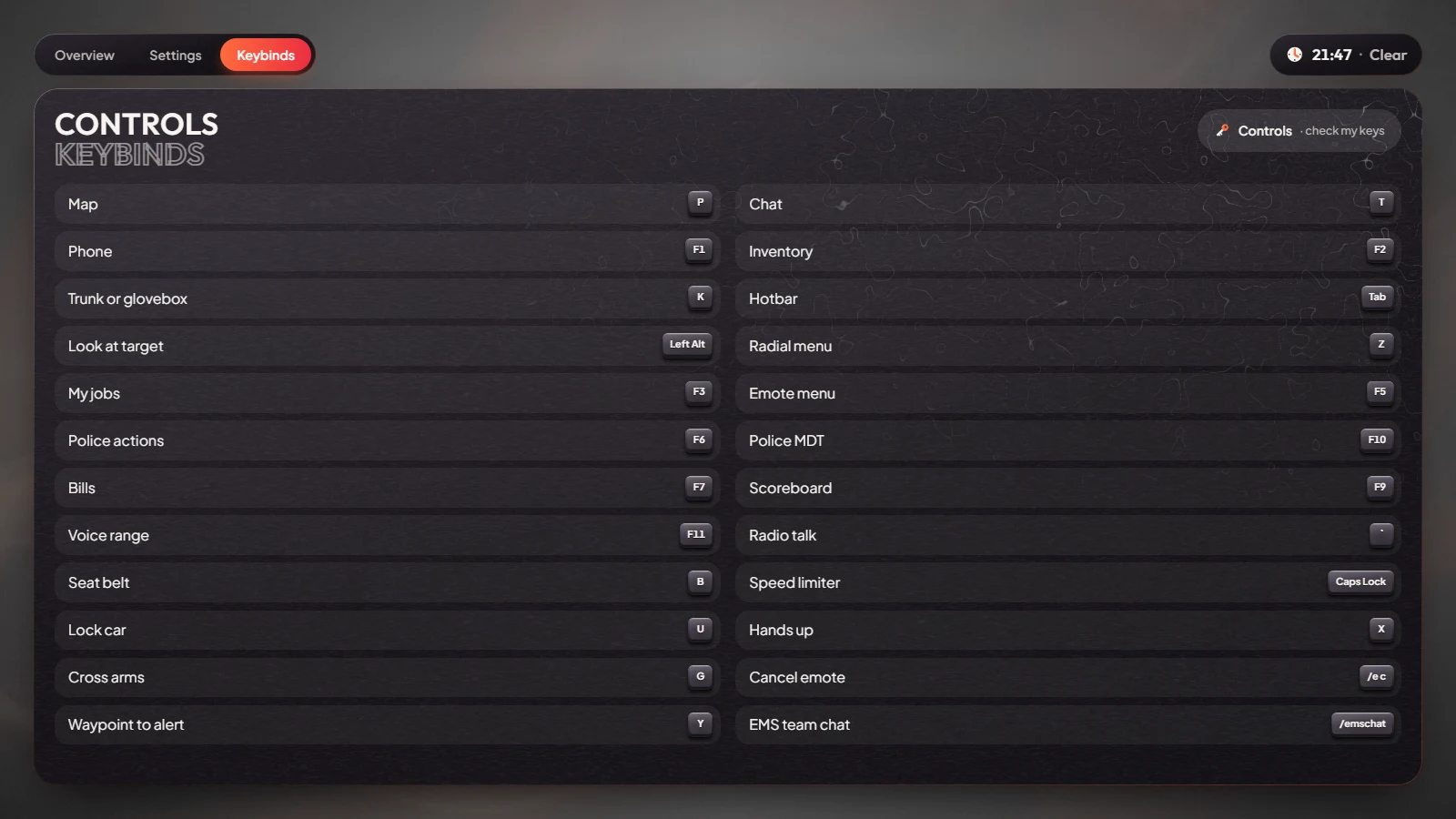
- Keybinds: a list of the main keys on the server, and a Controls · check my keys button that opens the Controls Screen.
Controls Screen
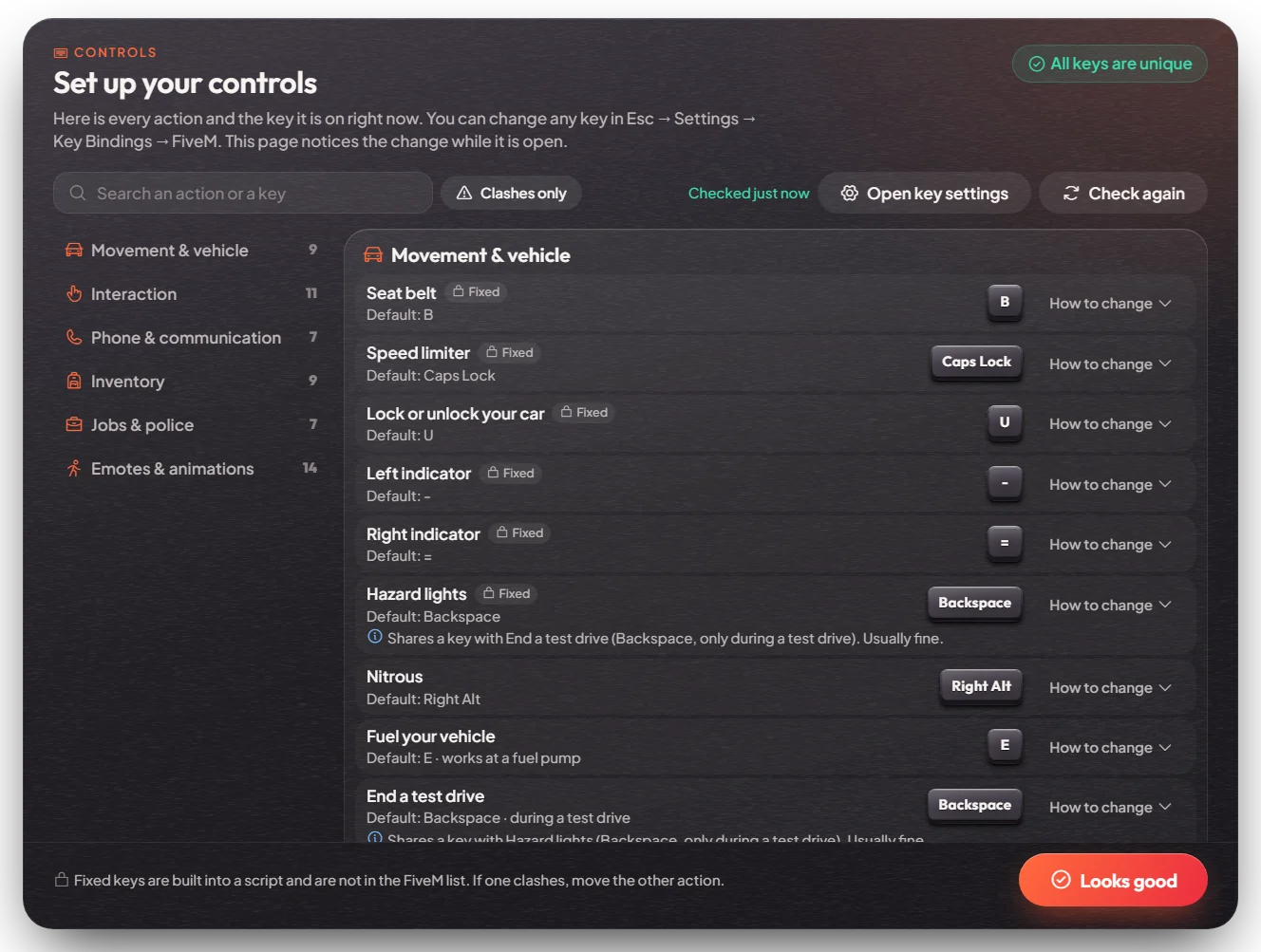
Type /keybinds (or press Controls · check my keys on the Keybinds tab) to open Set up your controls.
- It lists every action on the server, the key it is on for you right now, and marks keys that are used twice.
- Keys marked Fixed are built into a script and cannot be changed in the key settings.
- Change a key in Esc, Settings, Key Bindings, FiveM (or press Open key settings). The screen updates by itself.
- New players see this screen once, after creating a character and spawning for the first time. Looks good closes it.
- Returning players who have keys used twice get a notice at login, for example "2 keys are used twice — /keybinds". With the default keys there are no clashes.
The list of actions is in [ui]/mvx_ui/modules/onboarding/config.lua (Config.Actions).
Keys & commands
| Key | What it does | Who |
|---|---|---|
| Esc | Opens or closes the pause menu | Everyone |
/keybinds | Opens the Controls Screen | Everyone |
| P | Opens GTA's full map directly | Everyone |
If another menu is open, Esc closes that menu first.
Customise in game
The Settings tab is saved on each player's own PC. Players can change their own keys in GTA's Settings, Key Bindings, FiveM.
Config options
File: [ui]/mvx_ui/modules/pause/config.lua
| Option | What it changes | Example |
|---|---|---|
Config.News | The news tile on the Overview tab. An empty list removes the tile. | { tag = 'Event', title = 'Car meet tonight', text = 'Meet at 21:00.', art = 'loc_city' } |
Config.Keybinds | The key list on the Keybinds tab | { key = 'F3', label = 'My jobs' } |
Config.ReportCommand | Set to false to remove the Report button | false |
Config.HudCommand | Set to false to remove the HUD layout button | false |
Config.DisconnectReason | The message shown when a player leaves with Disconnect | 'You left the game.' |
Config.CinemaBarHeight | How thick the cinema bars are | 0.09 |
The Keybinds tab is a fixed list. If a player changes a key in their own settings, the list does not follow it.
Restart mvx_ui (or the server) after a change.
Admin Quick Test
Setup
- Type
/setjob me police 0so the police count on the Overview tab includes you. - Close any other menu or the chat first: Esc closes those before it opens the pause menu.
Overview tab
- Press Esc. The Overview tab shows your name, Police with your rank, date of birth, height, cash and bank, licences, your street and area, the time and weather, players online and the services on duty (police at least 1).
- Check the news tile. It shows the text from
Config.News. - Press Open full map. GTA's big map opens. Close it.
- Press Game settings. GTA's own settings open. Close them.
- Press Report. The report menu opens (see Misc Systems). Close it.
- Press HUD layout. The HUD settings open. Close them.
Settings tab
- Open Settings. Move the radio volume and the call volume sliders, and switch the radio click sound off and on.
- Turn on Cinema bars. Black bars appear at the top and bottom of the screen. Reconnect: they are still on (saved on your PC). Turn them off.
Keybinds tab
- Open Keybinds. The list shows the main keys from
Config.Keybinds. - Press Controls · check my keys. The Controls Screen opens and shows All keys are unique. Close it with Looks good.
- Type
/keybinds. The same screen opens. Press Open key settings, move a key onto another action's key, and go back: that row is now marked as used twice. Put the key back.
Map key and disconnect
- Close the menu and press P. GTA's full map opens directly.
- Open the menu and press Disconnect. A confirm box shows. Confirm: you leave the server with "You left the game."
The end. Every button opens the right screen, settings stay after a reconnect, and the news and key list match the config.
If it doesn't work: a button is missing because its command is set to false in the config, or Esc
was pressed straight after closing another menu (wait half a second and press again).