
Bowling
Ten-pin bowling on 8 lanes in Burton, $25 a game.
What it is
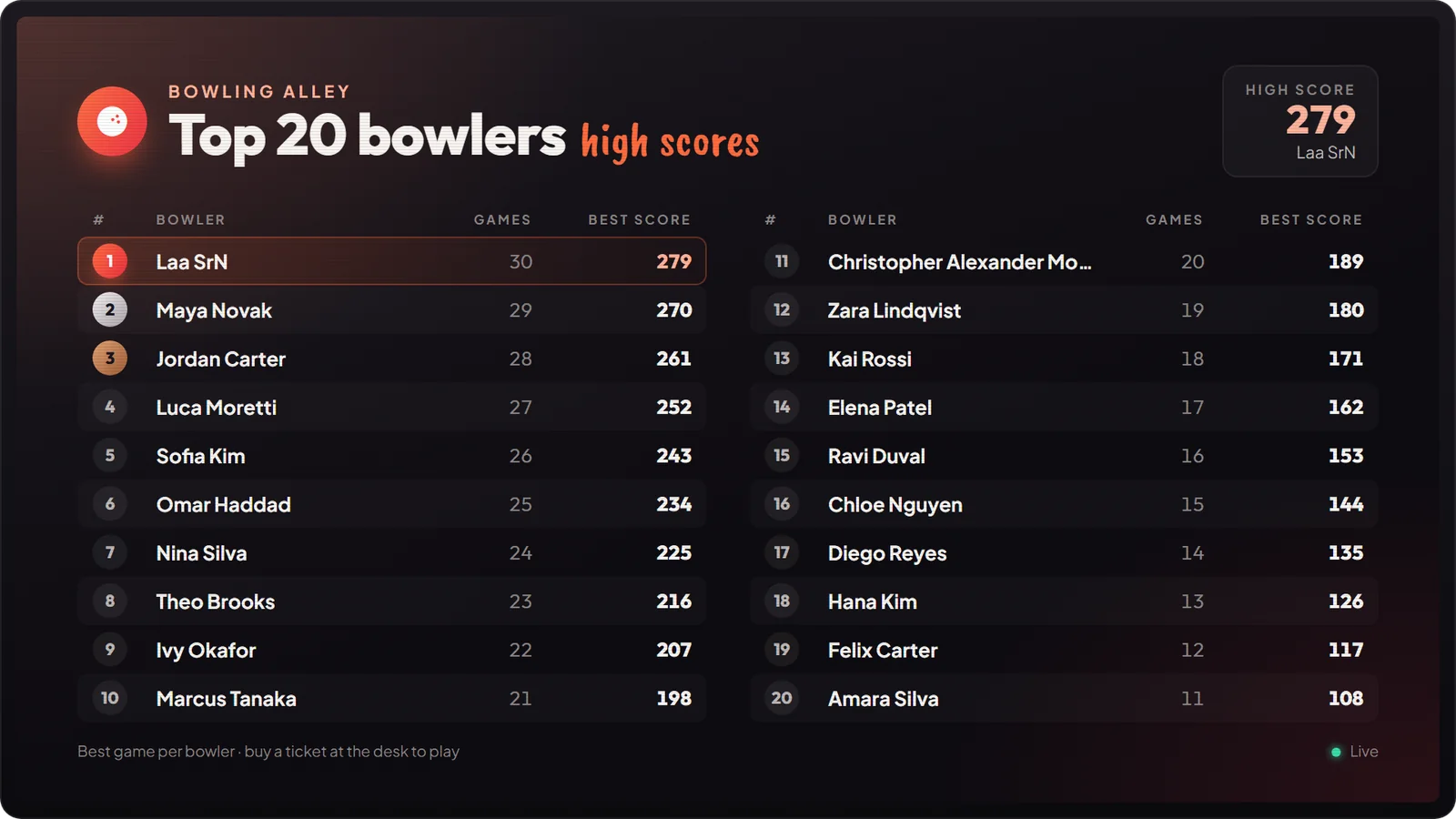
A bowling alley with 8 lanes. One ticket is one full game of 10 frames. Your best score goes on the bowling leaderboard.

How it works
Buy a ticket
Third eye on the host at the desk → Buy a ticket ($25, cash or card).
Choose a lane
Left / Right browse, Enter chooses. Backing out keeps your ticket.
Throw
Aim, set the force and throw. After frame 10 you see your score and your best.
Leaving in the middle of a game loses the rest of the ticket.
Keys & commands
| Key / command | What it does | Who |
|---|---|---|
| Left / Right | Aim | Bowler |
| Up / Down | Throw force | Bowler |
| A / D | Change the camera | Bowler |
| LMB | Throw | Bowler |
| Backspace | Stop the game | Bowler |
/bowlboard / /bowlboard remove | Place or remove a leaderboard screen | Admins |
Config options
File: mvx_activities/modules/bowling/config.lua.
| Option | What it changes | Example |
|---|---|---|
['Ticket']['Price'] | Price of one game | 25 |
['Ticket']['BuyRange'] | How close to the desk you must be (metres) | 6.0 |
['Ped'].coords | Where the host stands | vector4(-141.07, -245.69, 44.05, 162.42) |
Admin Quick Test
Setup
- Give yourself cash:
/giveaccountmoney me money 100. No job, item or licence is needed.
Teleport
- Go to the bowling desk:
/tp -141.07 -245.69 44.05(or Admin tablet HOME → World → Teleport with -141.07, -245.69, 44.05). You should see the host and the "Bowling" blip.
Buy a ticket
- Stand within 6 metres of the host. Third eye → Buy a ticket → Pay cash. $25 leaves your cash and the camera shows the lanes.
Choose a lane
- Left / Right to browse, Enter to choose. You are placed at the lane.
Throw
- Left / Right aim, Up / Down set the force (the Force bar), LMB throws.
- The score card at the bottom fills in:
Xstrike,/spare,-miss. Wait at least 7 seconds between throws so the pins settle. - Keep going until frame 10.
The end
- You see "Game over" with your score and your best. A new best says "New personal best!".
- Type
/bowlboard, aim at a wall and press Enter. Your name and best score are on the board./bowlboard removetakes it down.
If it doesn't work: "That throw was not counted. Throw again." means you threw too soon. "We are fully booked" means all 8 lanes are in use. If you backed out of the lane choice, you keep the ticket; the host then offers Choose a lane.