
Clothing Stores
Buy clothes and masks piece by piece and save outfits.
What it is
14 stores around the map where you buy clothes and masks. One store sells masks only. You can save outfits and put them on again at any store.
How it works
Find a store
Look for the Clothes Store (shirt) or Mask Store blip on the map.
Open it
Walk onto the marker and press E. Pick Open Store, Open Wardrobe (put on a saved outfit) or Manage clothes (delete saved outfits).
Shop and pay
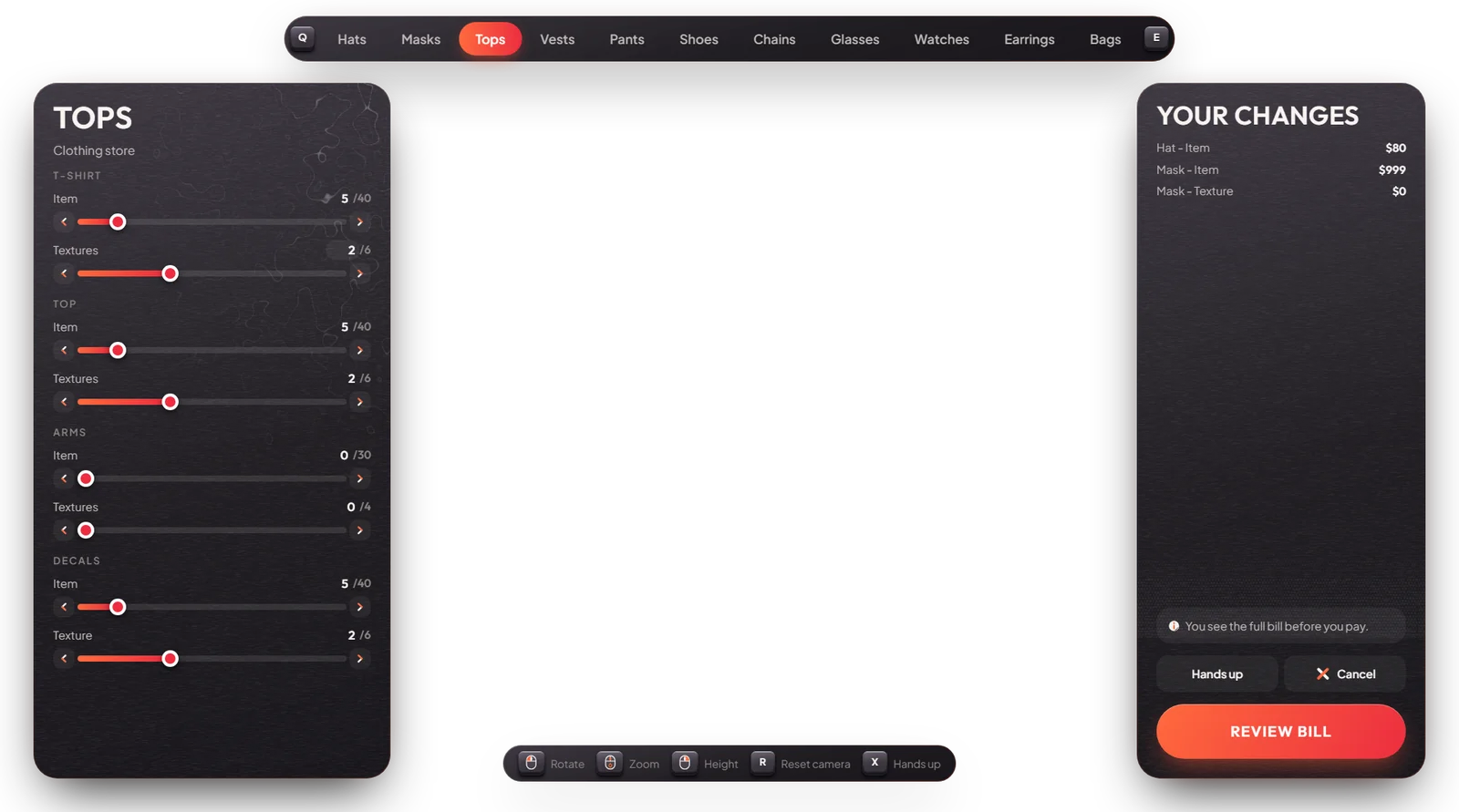
Change categories with Q / E. X raises your hands, the mouse turns the camera. Press Review bill: you only pay for the parts you changed. Pay with cash or bank.
Save the outfit
After paying you can give the outfit a name. It then shows in Open Wardrobe at every store.
Example prices: hat $80, mask $50, top $150, shoes $100, anything else $100.
Keys & commands
| Key | What it does | Who |
|---|---|---|
| E on the marker | Open the store menu | Everyone |
| Q / E | Previous / next category | Everyone |
| X | Hands up, to see the body | Everyone |
Config options
Prices are in [esx]/[character]/mvx_character/modules/clothestore/config.prices.lua:
| Option | What it changes | Example |
|---|---|---|
Config.DefaultPrice | Price of any part that has no own price | 100 |
Config.PricesForComponent | Price per category (hat, top, shoes...) | ['torso_1'] = 150 |
Store places are Config.Stores in modules/clothestore/config.lua.
Admin Quick Test
Setup
- Type
/giveaccountmoney me money 1000and/giveaccountmoney me bank 1000, so you can test both ways to pay.
Clothing store
- Type
/tp 424.73 -800.06 28.50(Clothes Store, Textile City). Stand on the marker: "Press E to open" shows. - Press E. The menu shows Open Store, Open Wardrobe and Manage clothes.
- Pick Open Store. Switch to the tops with Q / E and pick another top. Press X to raise your hands and check the fit.
- Press Review bill. The bill lists only the top: $150.
- Pick Pay with cash. Your cash goes down by $150 (check with
/cash). - When asked, save the outfit as "Test".
Wardrobe
- Press E again → Open Wardrobe. "Test" is in the list; pick it and you wear that outfit.
- Manage clothes → delete "Test". It is gone from the wardrobe.
Bank payment
- Change your shoes, Review bill ($100) and pick Pay with bank. Check with
/bank: $100 less.
Mask store
- Type
/tp -1337.84 -1277.81 4.00(Mask Store, Vespucci Beach). Press E → Open Store. Only the Masks category shows. A mask costs $50.
If it doesn't work: no prompt → stand right on the marker. The bill cannot be paid → not enough cash or bank money for the total.