
Creator & Office PC
How every business works, how admins build one with /businesscreator, and what the boss does on the Office PC.
What it is
Players run businesses like restaurants and cafes. Employees go on duty, cook food from ingredients, sell it at the register and keep stock in fridges. The boss runs everything from the Office PC. Admins build each business in game with the business creator. See the Business System overview for the businesses that already exist.
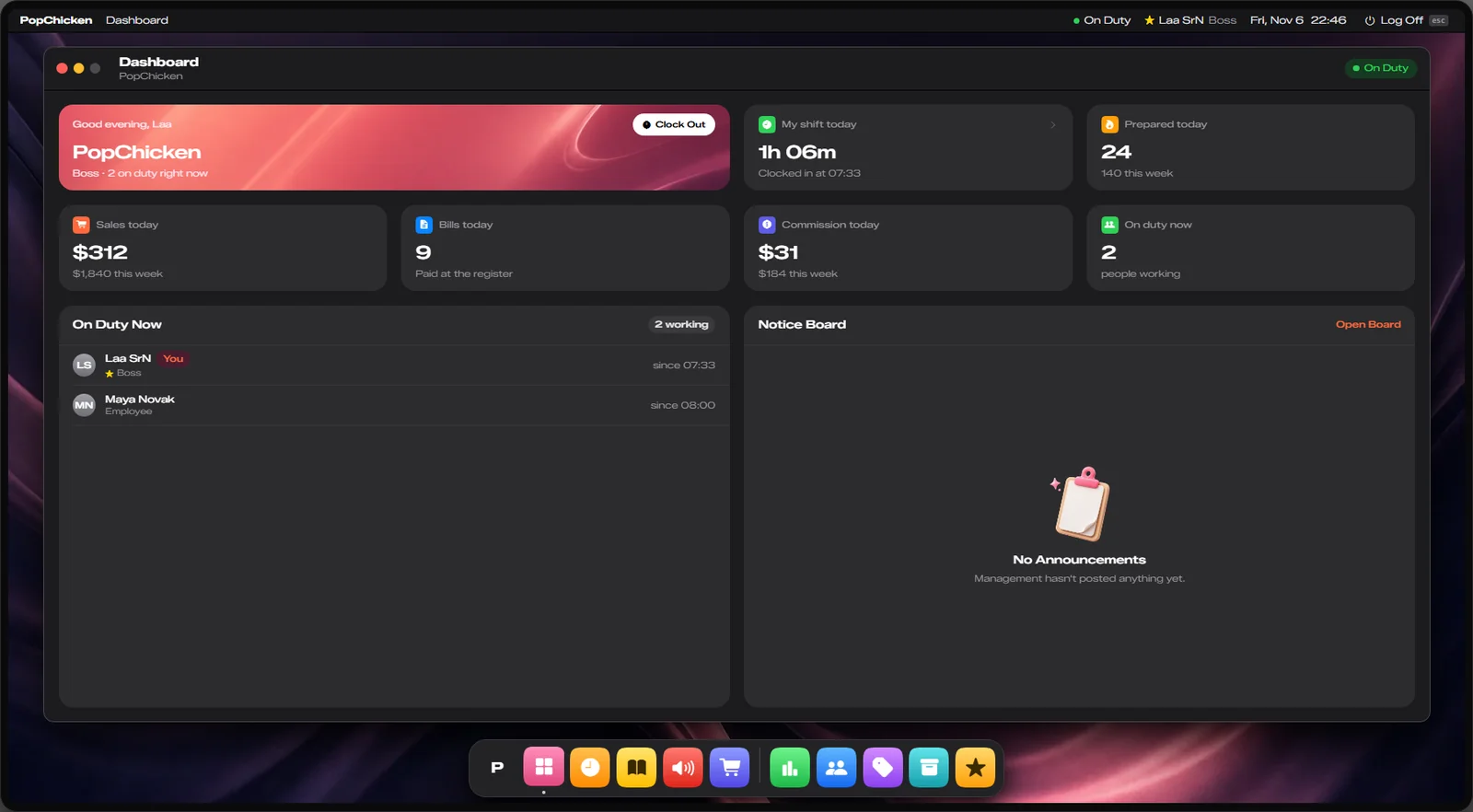
How it works
Everything is done with the third eye (Left Alt) on the business's points.
Get hired
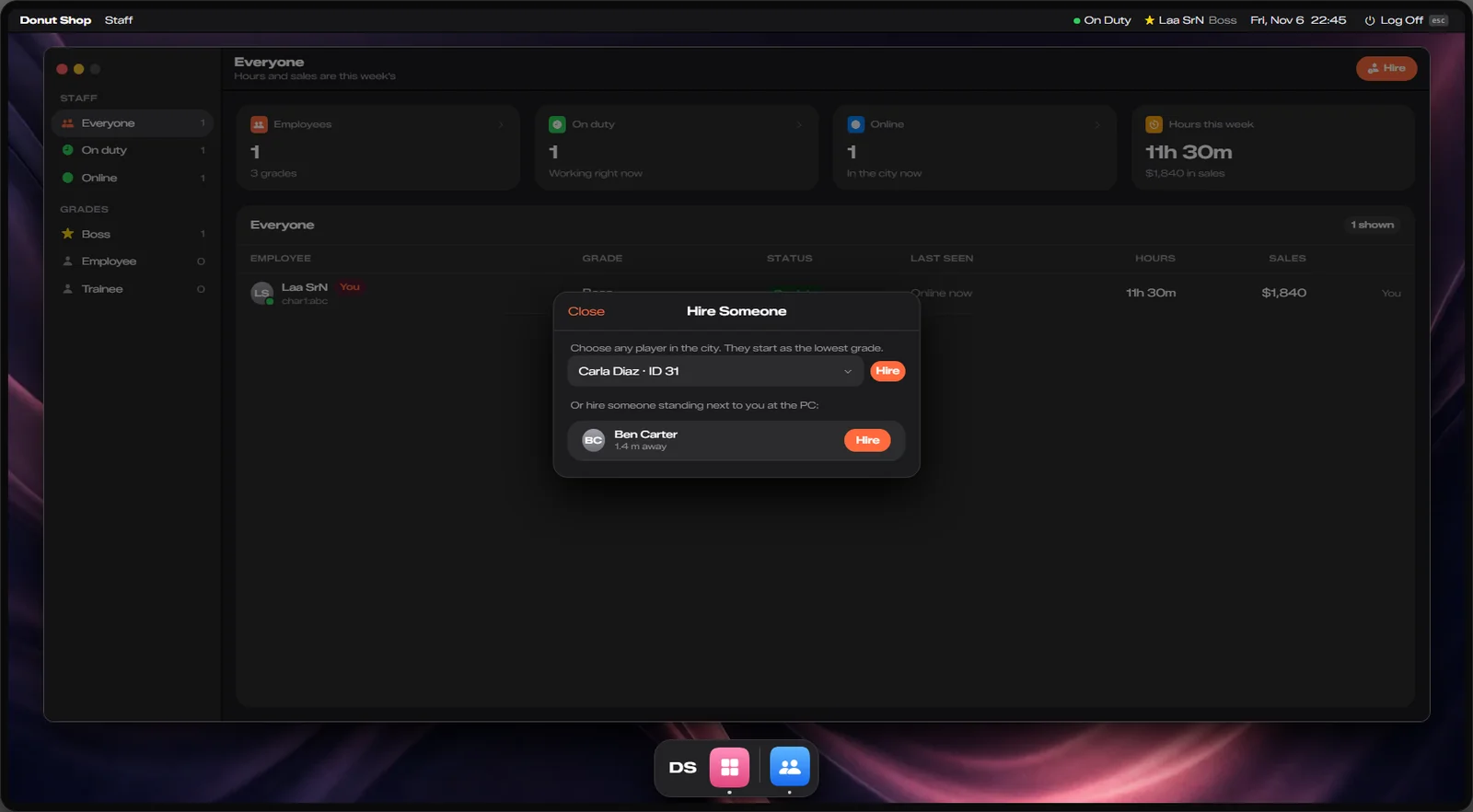
The boss hires you on the Office PC. Standing next to the boss, you are hired straight away; from anywhere else you get a job offer to accept within 60 seconds. You start at the lowest rank. Police, EMS and mechanic staff cannot be hired until they leave their job.
Go on duty
Third eye on the duty point → Go on duty. Stations, the register, fridges and storage only work while you are on duty.
Get ingredients
Take them from a fridge or storage (storage marked Boss only opens for the boss only). When stock runs low, order more on the Office PC (Orders). Orders are paid from the business account and arrive after 3 minutes; then press Stock to fill the storage.
Cook
Third eye on a station (oven, coffee machine, juice bar, cocktail station, back bar or beer tap) → Prepare. Pick a recipe and how many batches (up to 10). The ingredients are swapped for the food.
Sell
Third eye on the register → Charge a customer. Add products, pick a customer standing near you and send the bill. The customer has 60 seconds to pay by cash or bank. The money goes to the business account and you get a commission (set per business, 10% at PopChicken) into your bank. Hand the food over yourself or put it in a pickup tray (anyone can open those).
The Office PC
| App | Who | What it does |
|---|---|---|
| Dashboard, Clock, Menu, Announcements | Everyone | Your shift and sales, clock in/out, recipes, notice board |
| Orders | Rank 1 and up | Order ingredients from the supplier |
| Finances | Boss | Business balance, deposit and withdraw |
| Staff | Boss | Hire (players nearby at once, others by job offer), promote, demote, fire |
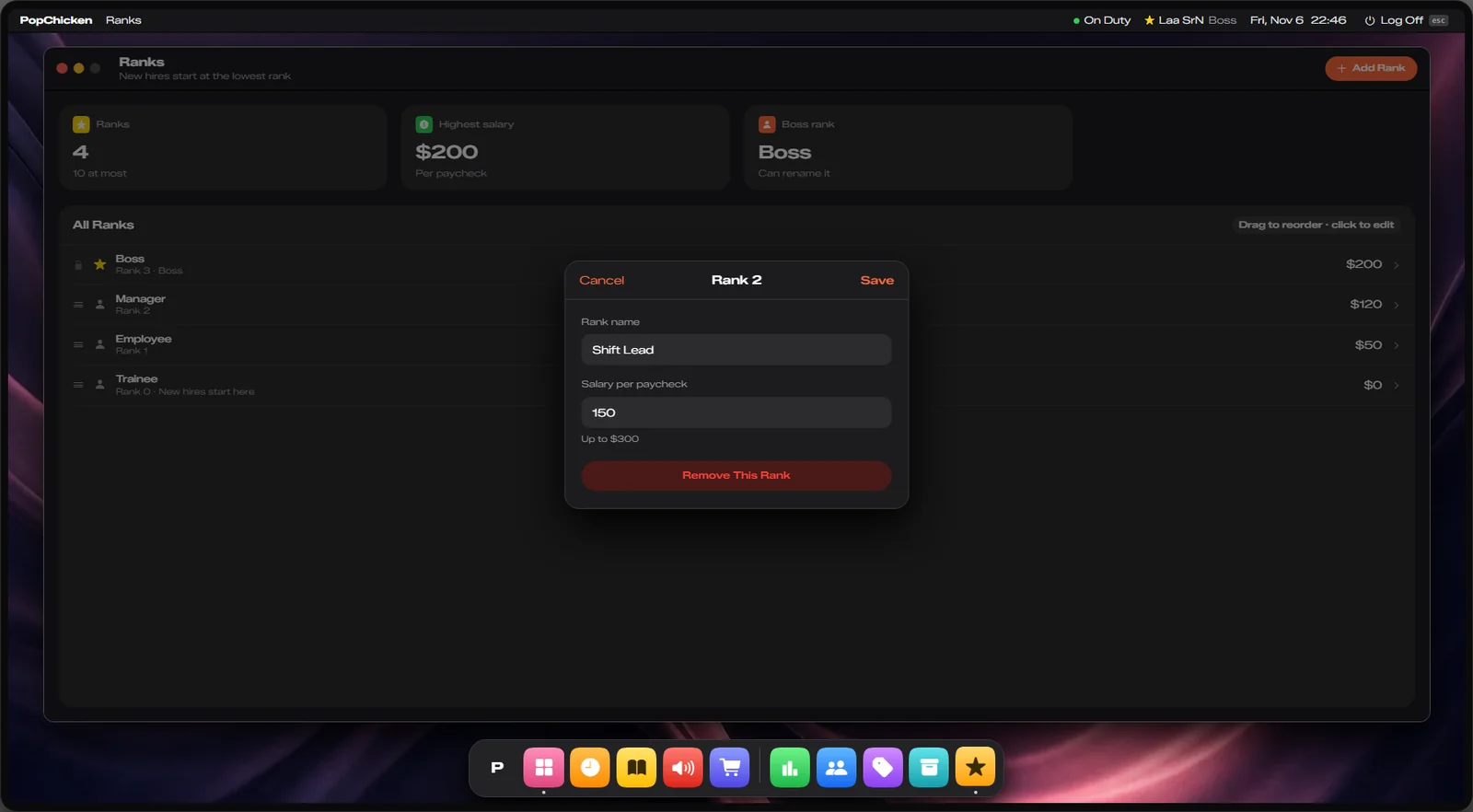
| Ranks | Boss | Rank names and pay (at most $300 per paycheck, up to 10 ranks) |
| Prices | Boss | Menu prices, from half to double the base price |
| Storage | Boss | Look into every fridge and storage |
A new business's doors are not locked out of the box. Create them in game with the doorlock menu (/doorlock, staff only). See Doorlock System and the official ox_doorlock guide.
Keys & commands
| Key / command | What it does | Who |
|---|---|---|
| Third eye on a point | Duty, prepare, open storage, charge, use the Office PC | Employees |
/businesscreator | Opens the business creator | Owner and admins |
Customise in game
Edit businesses only with the in-game creator, or with the server stopped. The server saves its own copy of
businesses.json and overwrites manual edits made while it runs.
Build a new business without editing files:
- Make sure the food and ingredient items exist in the inventory.
- Type
/businesscreator→ New business. Give it an id, a name and a job. A new job is made for you with the ranks Trainee, Employee, Manager and Boss, plus its company account. - Place the points by aiming (tick Boss only on a storage or fridge for management stock): duty point, prep stations, storage, fridges, pickup trays, registers and the Office PC. Mouse wheel changes the size, E places, G snaps to props.
- Fill in Recipes (what each station makes), Menu prices and Supplier stock.
- Set the map blip and the employee commission under Details and Map blip.
- Press Save. It works straight away, no restart.
- Give the owner the job with the boss rank (admin menu). They hire everyone else on the Office PC.
Config options
File: mvx_business/config.lua.
| Option | What it changes | Example |
|---|---|---|
Config.Permission | Staff groups that may use the creator | { 'owner', 'admin' } |
Config.Ranks.MaxSalary | Highest rank pay a boss may set | 300 |
Config.Ranks.MaxRanks | Most ranks per business | 10 |
Config.Prep.MaxBatches | Most batches in one go | 10 |
Config.Register.MaxTotal | Biggest bill at the register | 25000 |
Config.Register.Timeout | Seconds the customer has to pay | 60 |
Config.Register.CommissionAccount | Where the employee's commission goes | 'bank' |
Config.Supplier.PaidBy | Who pays for orders: the business or the employee | 'business' |
Config.Supplier.MinGrade | Lowest rank that may spend business money on orders | 1 |
Config.Office.Orders.DeliveryMinutes | Minutes until an order arrives | 3 |
Config.Office.Prices.Multiplier | How far a boss can move menu prices | { min = 0.5, max = 2.0 } |
Apply with restart mvx_business when the businesses are quiet.
Admin Quick Test
This builds a small test business from scratch, checks it works, and removes it again. To test a finished business, use the walkthrough on PopChicken.
Setup
- You need the
owneroradmingroup. Give yourself test ingredients:/giveitem me flour 1and/giveitem me packaged_chicken 1.
Teleport
- Go to an empty spot on the Legion Square plaza that no business, shop, job, garage or blip uses:
/tp 170.00 -965.00 30.70(or Admin tablet HOME → World → Teleport with 170.00, -965.00, 30.70).
Create
-
Type
/businesscreator→ New business. Idtestcafe, NameTest Cafe, Jobtestcafe, Start from Empty menu. The business menu opens. -
Place one of each point by aiming at the ground at these spots and pressing E (each is about 3 m from the next):
Point Menu Aim at Duty point Duty points → Add 172.00, -965.00, 30.70 Oven Prep stations → Add, type Oven 175.00, -965.00, 30.70 Storage Storage → Add 175.00, -968.00, 30.70 Pickup tray Pickup trays → Add 172.00, -968.00, 30.70 Register Registers → Add 169.00, -968.00, 30.70 Office PC Office PCs → Add 169.00, -962.00, 30.70 -
Recipes → Add recipe: Makes Chicken leg, At station type Oven, Amount 2, Seconds 8, Ingredients
flour:1, packaged_chicken:1. -
Menu prices → Add item: Chicken leg, $6. Supplier stock → Add item: Flour, $1.
-
Back in the main menu press Save. You get a message that it was saved; the points show third-eye options at once. A new job
testcafeis made with Trainee, Employee, Manager and Boss.
Use it
/setjob me testcafe 3(Boss). Third eye on the duty point → Go on duty.- Third eye on the oven (175.00, -965.00, 30.70) → Prepare · Oven → Chicken leg, 1 batch. Your flour and chicken fillet become 2 Chicken leg.
- Third eye on the storage (175.00, -968.00, 30.70) → Open Storage: an empty 40-slot stash opens. Then third eye on the Office PC (169.00, -962.00, 30.70) → Use the Office PC. The dashboard shows "Test Cafe"; as boss you also see Finances, Staff, Ranks and Prices.
Clean up
/businesscreator→ Test Cafe → Delete business, then Save. The points disappear. Put your job back:/setjob me unemployed 0. The emptytestcafejob stays in the database; delete it there if you want it gone.
If it doesn't work: "Save" refuses with a message when an item name does not exist or a point is too far from you. No third-eye options after saving means the save failed; read the message and fix that field.