
Job Centre & My Jobs
Find a job at the job centre, keep up to 4 jobs on F3, and manage staff on the Boss page.
What it is
The jobs tablet. At the job centre it shows the jobs you can take. Anywhere else, F3 opens My jobs (your saved jobs) and, for bosses, the Boss page.
How it works
Find a job
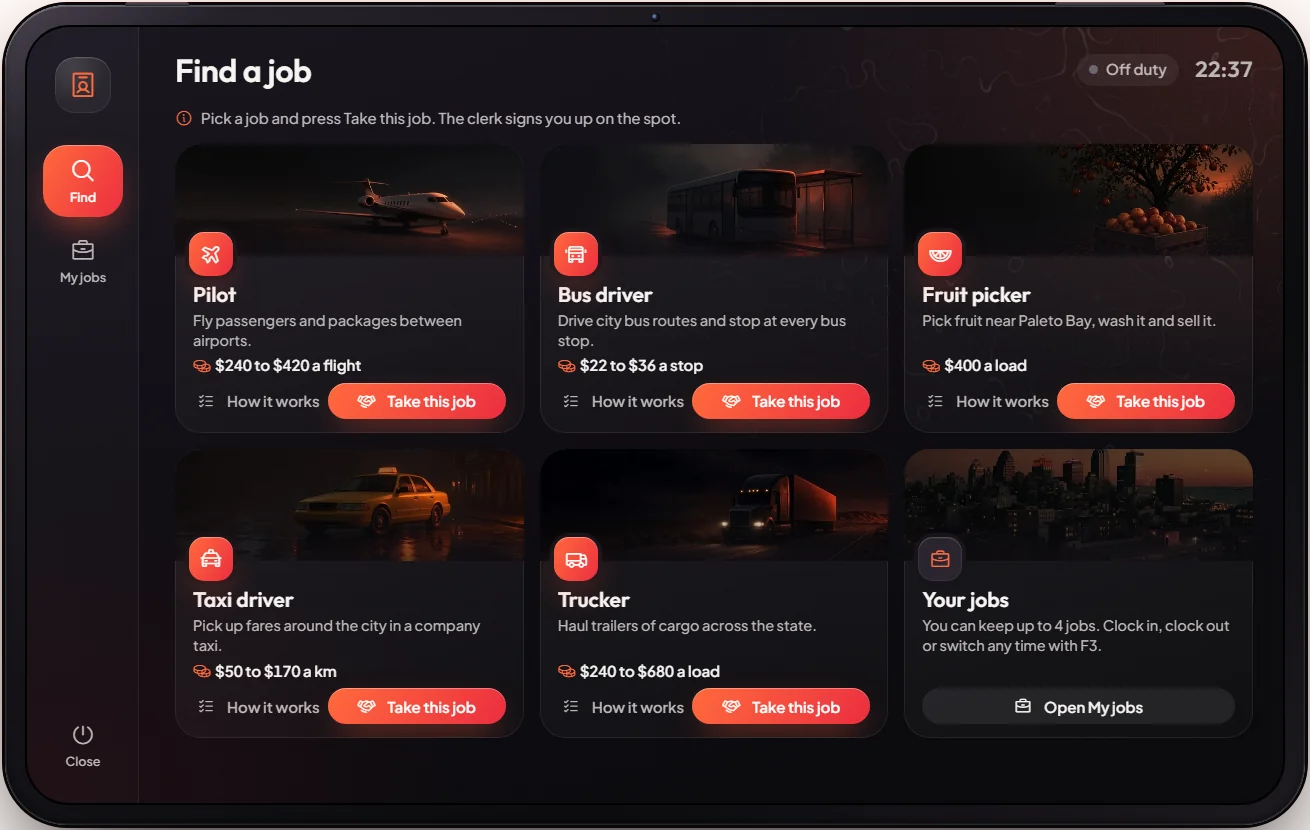
Go to the job centre desk downtown, next to the builder office. Third eye on the clerk → Look for a job. The tablet shows Pilot, Bus driver, Fruit picker, Taxi driver and Trucker, each with where it starts, how it pays and the steps. Pick one and you are hired. Not near the desk? The tablet has Mark the job centre to set a waypoint.
Your jobs are saved
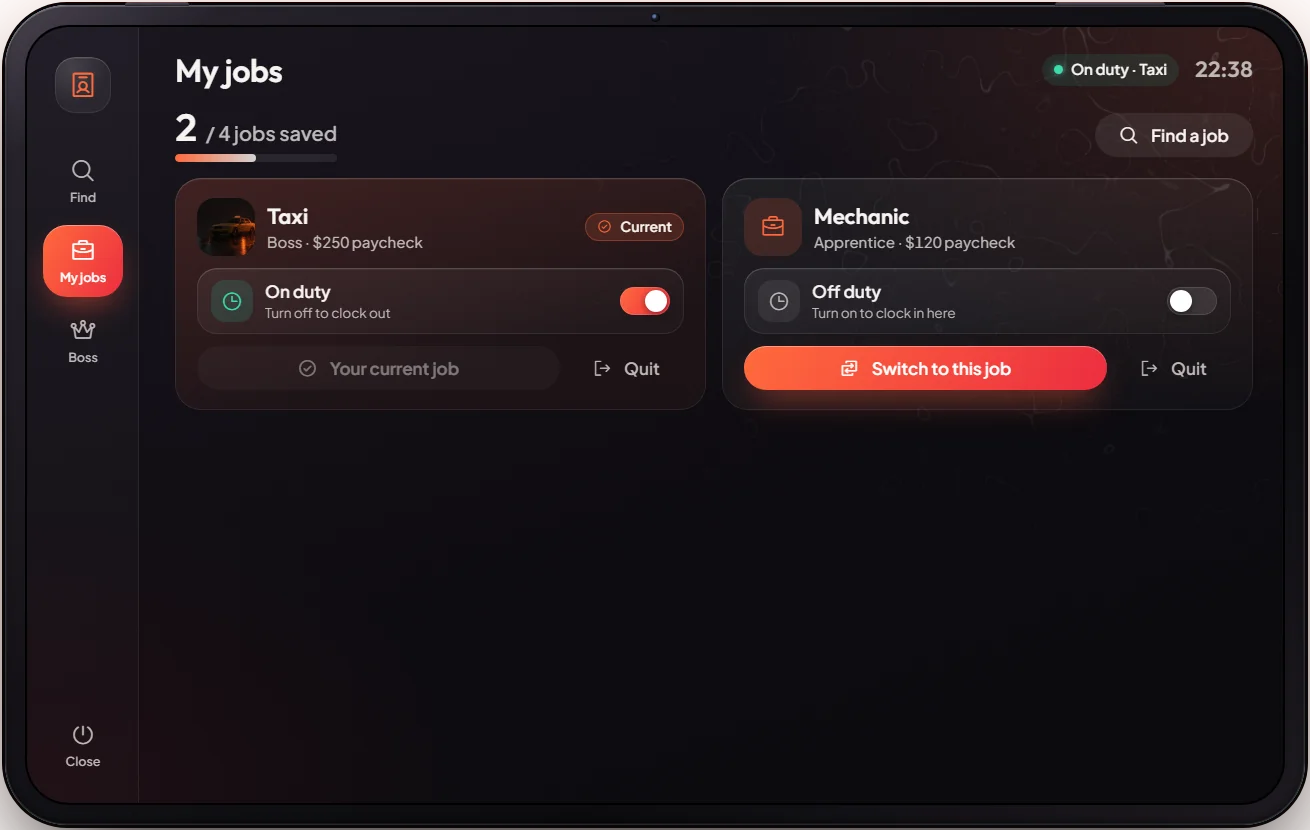
Every job you get (job centre, a boss or staff) is saved in My jobs, up to 4. Turn a job on to clock in, turn it off to clock out (you become off duty), or Quit job.
Boss page
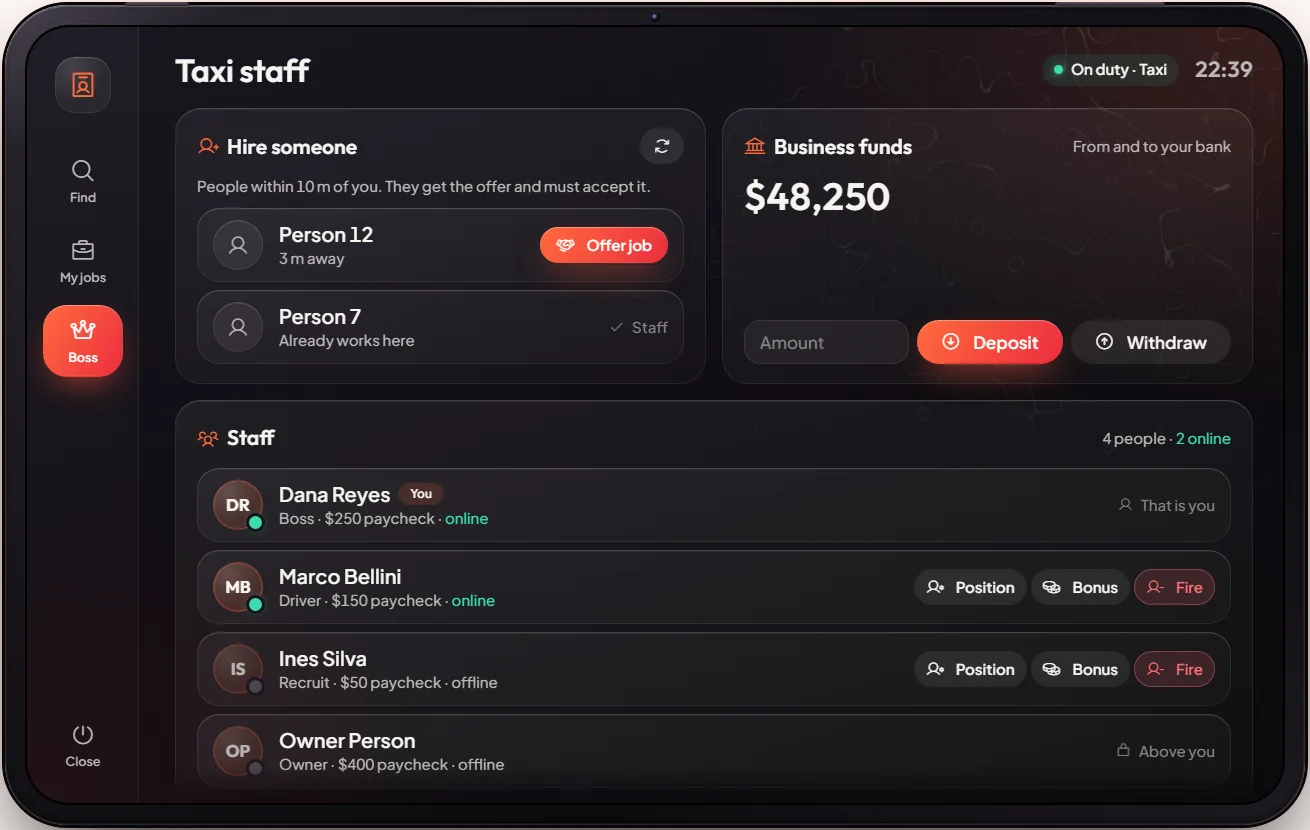
If you are the boss of a job, the tablet has a Boss page: see your staff, change their position, pay a bonus from the company money, fire them, and offer the job to a player standing next to you (they must accept). You can also put money in or take it out of the company account. For the full company tools see the Boss PC System.
Police, EMS, mechanic and other whitelisted jobs (such as lawyer) are only given by a boss or staff. They stay in the list only while you are still employed: if a boss fires you, the job is removed.
Keys & commands
| Key / command | What it does | Who |
|---|---|---|
F3 or /jobs | Open the jobs tablet | Everyone |
| Third eye on the clerk | Look for a job | Everyone |
/multijobremove <id> <job> | Remove a saved job from a player's list | Admins |
Config options
Files: [esx]/[jobs]/mvx_jobs/modules/jobcenter/config.lua (job centre) and modules/multijob/config.lua (My jobs).
| Option | What it changes | Example |
|---|---|---|
Config.jobs (jobcenter) | Jobs at the job centre and their text on the tablet | Pilot, Bus, Fruit, Taxi, Trucker |
Config.locations (jobcenter) | Where the desk is | downtown desk |
Config.pedModel (jobcenter) | The clerk | 'cs_nigel' |
Config.maxJobs (multijob) | Jobs a player can keep | 4 |
Config.openJobMenu.key (multijob) | Key for the tablet | 'F3' |
Config.hireDistance (multijob) | How close a boss must be to hire | 10.0 |
Config.offDutyJob (multijob) | Job you have while off duty | unemployed |
Admin Quick Test
Setup
- Start clean:
/setjob me unemployed 0. Nothing else is needed (no items, money or licence).
Find a job
- Teleport to the job centre:
/tp -234.93 -922.44 30.31(or admin tablet HOME → World → Teleport: -234.93, -922.44, 30.31). The clerk stands at his desk. - Hold the third eye on the clerk → Look for a job. The tablet opens on Find a job with 5 cards: Pilot, Bus driver, Fruit picker, Taxi driver, Trucker. Open one: you see where it starts, how it pays and the steps.
- Pick Taxi driver. You see that you are hired and the card now shows it as your current job.
My jobs
- Walk away and press F3. My jobs shows Taxi, on duty.
- Turn Taxi off: you are clocked out (off duty, job
unemployed). Turn it on again: you are a taxi driver again. - Away from the desk, press Mark the job centre: a waypoint is set to the desk.
Boss page
- Make yourself the taxi boss:
/setjob me taxi 3. Press F3: a Boss page appears with the taxi staff and the company account. - Put money in:
/giveaccountmoney me bank 1000, then Deposit $100 on the Boss page. The company balance goes up by $100 and your bank goes down by $100. Withdraw it back. - With a second player within 10 metres, press Offer job. They get a job offer and must accept; then they show in the staff list, where you can change their position, pay a bonus or fire them.
The end
- Press Quit job on Taxi and confirm. It leaves your list. Clean up with
/setjob me unemployed 0.
If it doesn't work: "The clerk did not answer" means you are more than 5 metres from the desk. A full list (4 jobs) does not save a new job: quit one first. A boss can only hire a player within 10 metres.