
Trucker
Haul cargo or wood with a truck and trailer, paid by weight, with optional overweight loads.
What it is
Truckers take a truck and trailer from the base near the airport, load cargo or wood and deliver it across the state. Pay depends on the weight. Overweight loads pay more, but the police can take them at a weigh station.
How it works
- Get the Trucker job at the job centre.
- At the trucker base press E and pick Normal transport or Wood transport. A $1,500 deposit is taken and the truck and trailer appear.
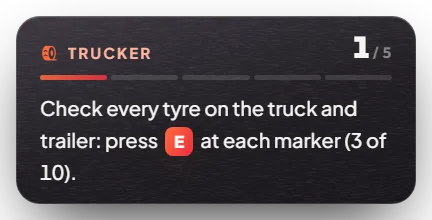
- Hitch the trailer and check each tyre (E at the tyre markers).
- Drive to a loading bay, park on the markers and choose a legal or overweight load.
- Drive to the unloading bay and unload. Get back in the truck to be paid into your bank: $24 a tonne (normal) or $34 a tonne (wood). Extra tonnes on an overweight load pay double.
- Take another load, or drive back to the base to end the shift and get your deposit back.
There are three weigh stations. Police can confiscate a load there, and the trucker gets nothing for it.
Keys & commands
| Key / command | What it does | Who |
|---|---|---|
| E | Start, check tyres, load, unload | Truckers |
| E at a weigh station | Confiscate the cargo | Police |
Config options
File: [esx]/[jobs]/mvx_jobs/modules/trucker/config.lua
| Option | What it changes | Example |
|---|---|---|
PricePerTon | Pay per tonne for each kind of work | 24 / 34 |
MinTons, LegalTons, MaxTons | Load weights | 10, 24, 30 |
cfg.DepositPrice | Truck deposit | 1500 |
cfg.Salary | Pay to "bank" or "cash" | "bank" |
cfg.JobRequirement | Only truckers can work | true |
Admin Quick Test
Setup
- Give yourself the job and the deposit:
/setjob me trucker 0and/giveaccountmoney me money 2000. The $1,500 deposit is taken from cash first, then bank. A commercial licence is not checked by the job (police can fine you without one). - To test the weigh station, have a second player as police:
/setjob <their id> police 0.
Start
- Teleport to the base:
/tp -1161.38 -2163.77 13.38. Press E → Normal transport (hauler and trailer) or Wood transport (packer and flatbed). $1,500 is taken and the truck and trailer appear in the parking spaces (truck at -1154.56, -2197.75, 13.43; trailer at -1159.87, -2207.06, 13.43). - Get in the truck and back it up to the trailer to hitch it.
- Walk to each tyre marker and press E to check it. Inflate soft tyres with the compressor. The objective box moves to the loading step.
Load
- Drive to the loading bay on your map (normal: for example -1066.91, -2014.03, 13.38 near the base; wood: for example -586.91, 5625.45, 39.00). Park the truck and trailer on the markers.
- Press E → Choose a load → Legal load (10–24 t normal, 10–20 t wood) or Overweight load (up to 30 t / 28 t). Open the trailer (cargo) or strap the load (wood). Workers load it.
Deliver
- Get back in the truck to see the address. Drive to the unloading bay (normal: for example -506.28, -2191.54, 6.75; wood: for example 1010.22, -2515.81, 28.38), park on the markers and open the trailer or loosen the straps.
- Optional police check: on the way, park the loaded truck on the weigh station scale (truck spot -1009.97, -2236.90, 9.09). The police player at the laptop sees the weight and can press E → Confiscate the cargo (the load is lost).
Payout
- Get back in the truck to be paid into your bank: $24 a tonne (normal) or $34 a tonne (wood). Tonnes over the legal limit pay double. Example: a 30 t normal load = 24 × $24 + 6 × $48 = $864.
- Drive back to the base and end the shift. The $1,500 deposit returns to your bank.
If it doesn't work: no pay means the trip was faster than possible or you are not at the unloading bay. No deposit back means the truck was not at the base, or it was destroyed or left behind.