
Blip Creator
Staff add, change and delete map icons in game without editing files.
What it is
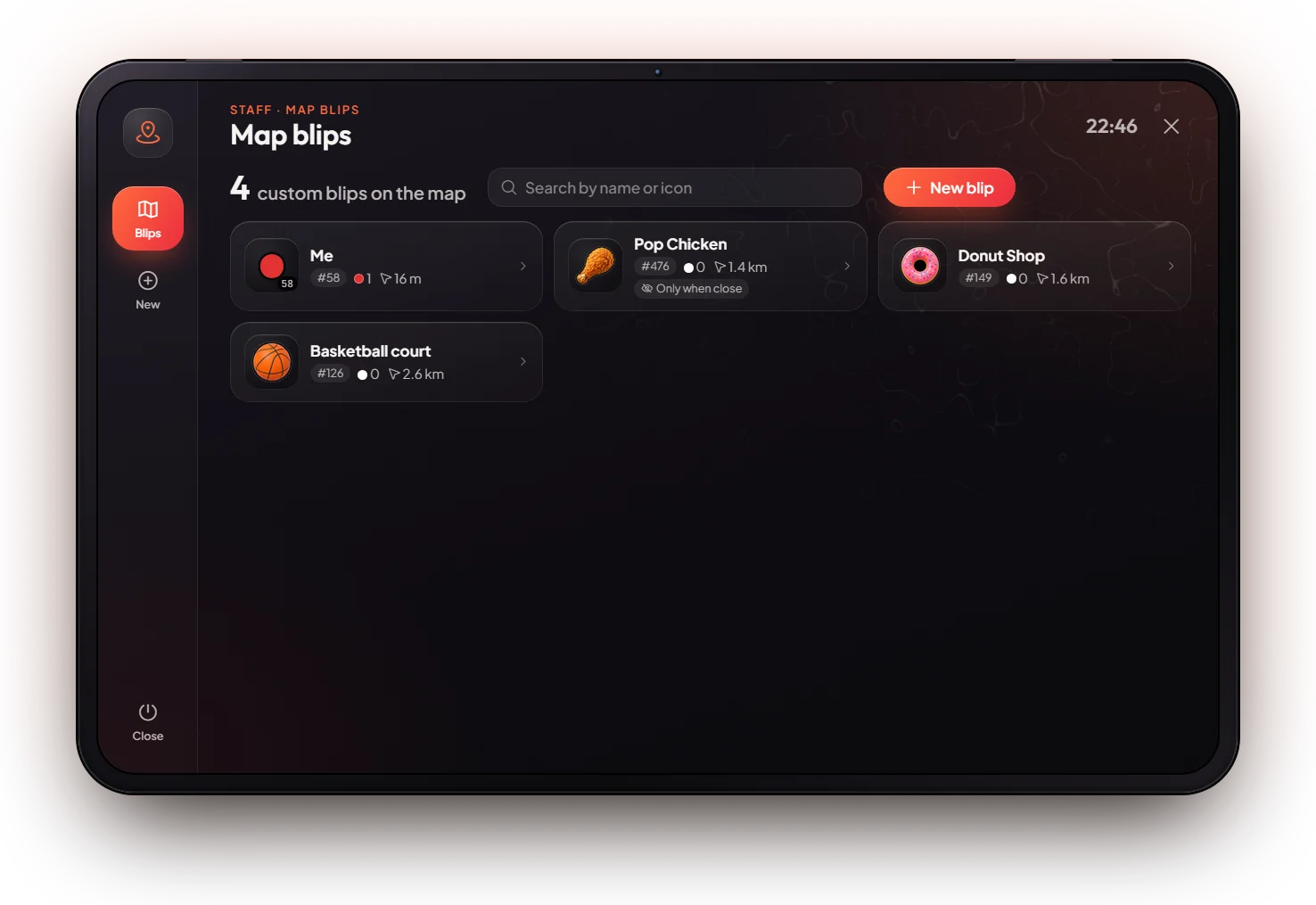
A staff tablet to put new icons (blips) on the map in game. Every player sees the change right away. Shops, jobs and activities already draw their own blips; this tool is for extra ones.
How it works
Open it
Type /blips. The list shows every custom blip, nearest first. Search by name or icon number.
Make a blip
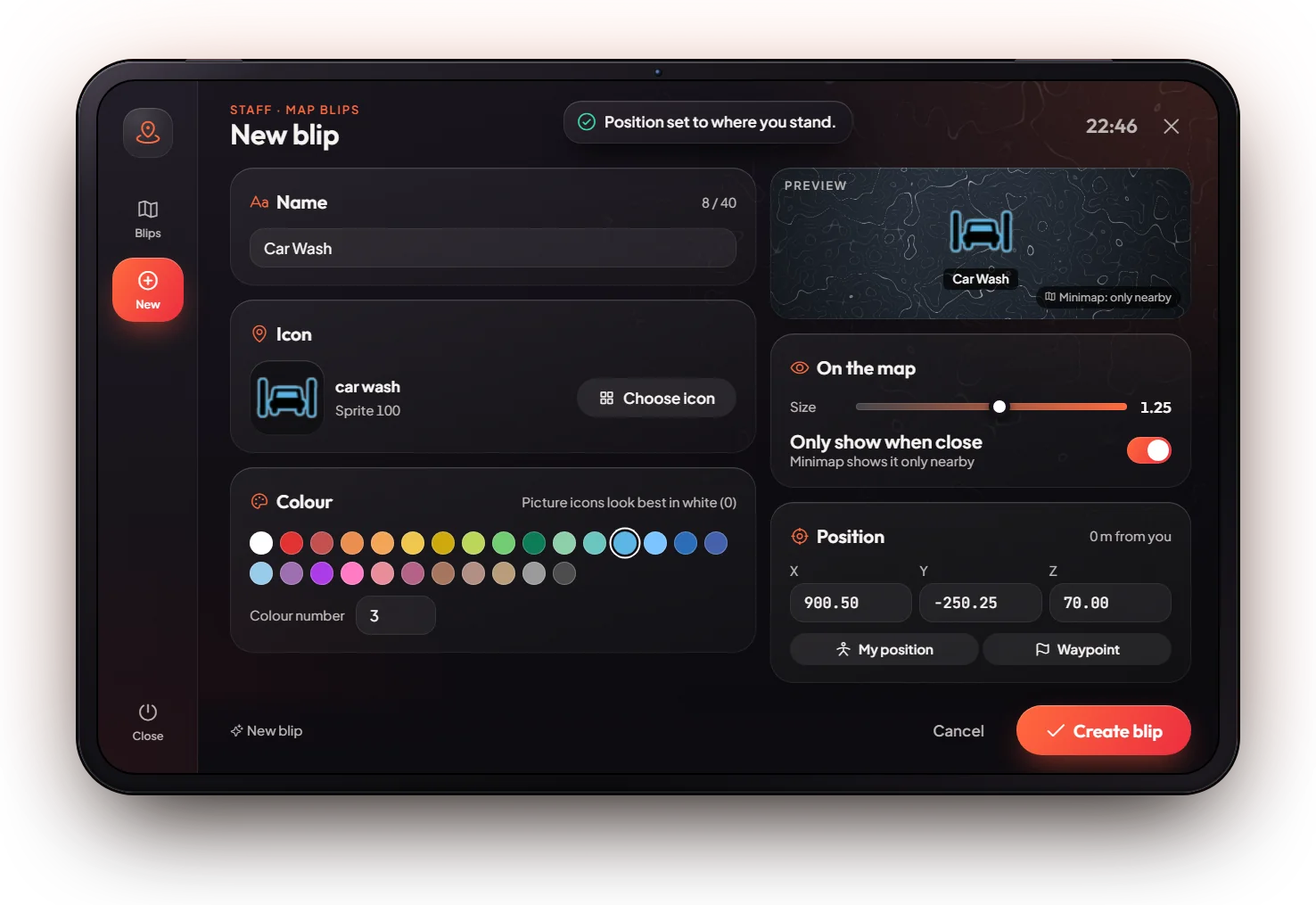
Press New blip. Fill in the Name, pick an Icon and a Colour, and set the Size. Turn on Only show when close for small places.
Place it
Walk to the place first and press My position, or type the coordinates. The preview shows how it will look.
Save
Press Create blip. To change or delete a blip later, click it in the list.
Keys & commands
| Command | What it does | Who |
|---|---|---|
/blips | Open the blip creator | Owner, admin |
Customise in game
Everything is done in the tablet: name, icon (including the server's own painted icons, search custom), colour, size and position.
Config options
File: [scripts]/[standalone]/mvx_scripts/modules/blip/config.lua
| Option | What it changes | Example |
|---|---|---|
Config.AdminGroups | Ranks that may use it | { 'owner', 'admin' } |
Config.Command | The command name | 'blips' |
Admin Quick Test
Setup
- Be
adminorowner. Type/tp 144.30 -1037.46 29.42(Legion Square).
Create
- Type
/blips. The tablet opens on the Blips list (empty on a fresh server). - Press New blip. The form opens with your position already filled in.
- Name it "Test". Press Choose icon, search
bankand pick an icon. Pick a colour and set the size to 0.80. The Preview shows the result. - Press Create blip. "Blip created." shows and you are back on the list.
- Open the pause map. The "Test" icon is at Legion Square. Other players see it too.
Edit
- Open "Test" in the list, turn on Only show when close and save. Drive away: it leaves the minimap but stays on the big map.
- Press Teleport in the form. You land at the blip.
Delete
- Open "Test" and delete it, then confirm. The icon is gone from the map for everyone.
If it doesn't work: "Only staff can use the blip creator." → your rank is not owner or admin. The blip is saved but you do not see it → open the big map, the minimap may hide it when Only show when close is on.