
Calls & Messages
The Phone, Messages, Contacts and Mail apps.
What it is
Call other players, text them, keep a contact list and read mail from the city.
How it works
- Phone: type a number or pick a contact and press call. The other phone rings; they answer and you talk by voice. To call anonymously, turn off Show My Caller ID in Settings: the other phone does not see your number.
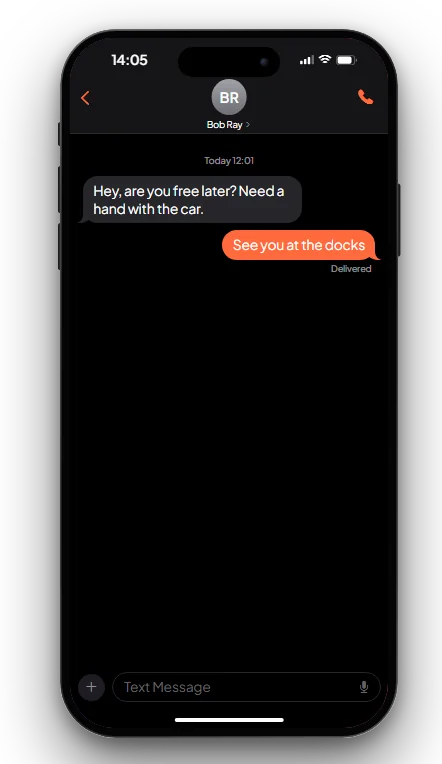
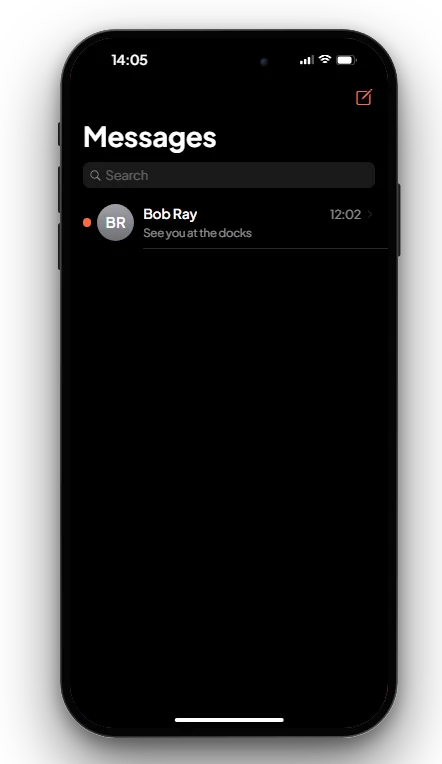
- Messages: pick a contact or number and type. You can send your location (the other player can set a GPS waypoint to it) and photos. Photo links must come from Fivemanage or imgur (photos taken with the phone camera already are).
- Contacts: save names and numbers (up to 200). Use
/givenumberto share your number with the player next to you. - Mail: messages from the city, for example a message to the owner of a motel. Some mails have a button.
Keys & commands
| Key / command | What it does | Who |
|---|---|---|
| F1 | Opens the phone | Everyone with a phone |
/givenumber | Shares your number with the closest player (within 2.5 m) | Everyone with a phone |
Config options
File: [scripts]/[phone]/mvx_phone/config.lua
| Option | What it changes | Example |
|---|---|---|
Config.RateLimits | Seconds between two messages, calls, mails and contacts from one player | Message = 1.0, Call = 3.0 |
Config.Limits.Message | Longest text message | 500 |
Config.MaxContacts | Contacts one character can save | 200 |
Config.ImageHosts | Websites photo links may come from | { 'fivemanage.com', 'fmfile.com', 'imgur.com' } |
Config.ControlCenter.AirplaneBlocksCalls | Airplane mode blocks calls and messages | false |
Config.Brand.MailDomain | Players' mail address ending | 'eyefind.info' |
Admin Quick Test
You need a second player. Their server ID is <id> (press F9).
Setup
- Type
/giveitem me phone 1and/giveitem <id> phone 1. - Stand next to the other player.
Stage 1: share numbers
- Type
/givenumber. You see "You shared your number". The other player gets your number. - Open the phone with F1, open Contacts and save the other player's number with a name.
Stage 2: messages
- Open Messages, pick the contact and send "Hello". It shows as Delivered and the other player gets a banner.
- Send your location. The other player taps it and a GPS waypoint is set.
Stage 3: calls
- Open Phone and call the contact. The other phone rings; they answer and you hear each other.
- Hang up, turn off Show My Caller ID in Settings and call again. Their screen does not show your number.
Stage 4: mail
- Open Mail. Mails from the city (for example from a motel) are listed here.
The end. Both players can text, call and save each other.
If it doesn't work: one player has no phone item, the players are too far apart for /givenumber, or the
message was sent again too fast.