
Services
Call police, EMS, a mechanic, a taxi, a lawyer, a car dealer or the news from the phone.
What it is
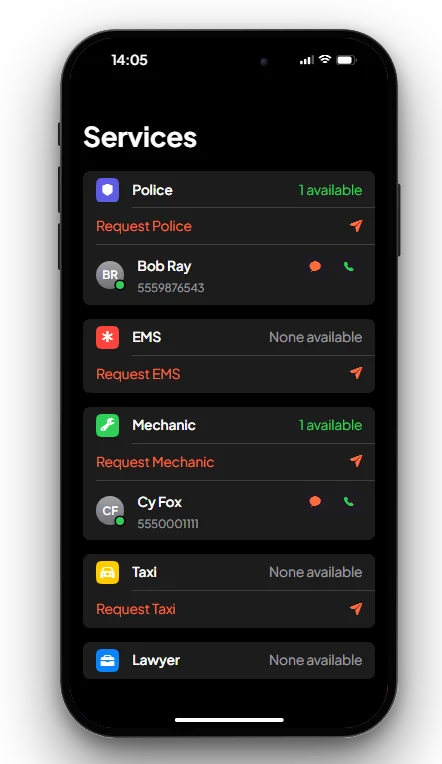
The Services app lists the city's services, shows who is working right now, and lets you send a request to them.
How it works
- Open Services. Each service shows how many people are working (on duty) and lists them with their number, so you can text or call one directly.
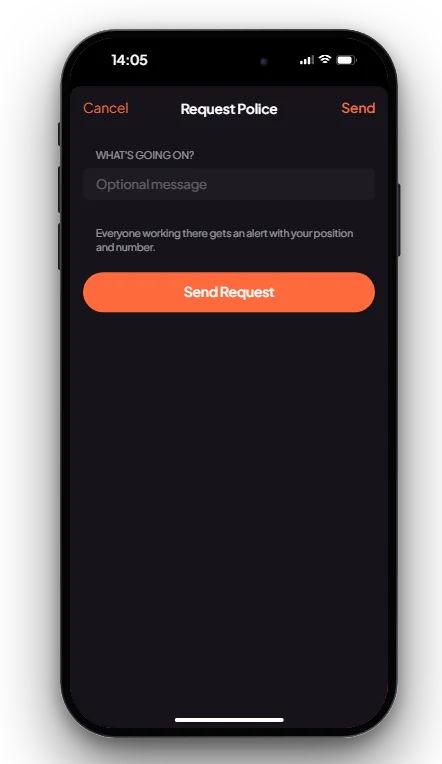
- Press Request (for example Request Police), add an optional message and press Send Request.
- Everyone working in that job gets a dispatch alert with your position and number (see Notification System).
- You can send one request every 60 seconds.
| Service | Request sends an alert | Alert |
|---|---|---|
| Police | Yes | 10-35 Phone call |
| EMS | Yes | 10-52 Medical call |
| Mechanic | Yes | 10-77 Roadside call |
| Taxi | Yes | 10-50 Taxi call |
| Lawyer | No, call or text them | |
| Car dealer | No, call or text them | |
| News | No, call or text them |
Keys & commands
| Key / command | What it does | Who |
|---|---|---|
| F1 | Opens the phone | Everyone with a phone |
| Y | Sets a waypoint to the last alert | Workers who get the alert |
Config options
File: [scripts]/[phone]/mvx_phone/config.lua
| Option | What it changes | Example |
|---|---|---|
Config.Services | The services listed: job name, label, alert code and title, and whether Request sends an alert | { job = 'taxi', label = 'Taxi', code = '10-50', title = 'Taxi call', alert = true } |
Config.ServiceCooldown | Seconds between two requests from one player | 60 |
Admin Quick Test
You need a second player. Their server ID is <id>.
Setup
- Type
/giveitem me phone 1and/setjob me unemployed 0. - Type
/setjob <id> police 0. The second player is police.
Stage 1: the list
- Press F1 and open Services. Police shows "1 available" with the officer's name and number. The others show "None available".
Stage 2: a request
- Press Request Police, type "Someone broke into my car" and press Send Request.
- The police player gets a 10-35 Phone call alert with your number, your message and a blip at your position. They press Y to set a waypoint.
- Press Request Police again straight away. It is refused: you must wait 60 seconds.
Stage 3: other services
- Type
/setjob <id> taxi 0. Taxi now shows the player. A taxi request sends them a 10-50 Taxi call. - Tap the green call icon next to a worker: their phone rings.
The end. Requests reach only the people working in that job, with the caller's position.
If it doesn't work: nobody with that job is on duty, the 60-second wait has not passed, or mvx_notify is not
started (requests need it).