
Homes
Your houses, motel rooms and keys, with GPS.
What it is
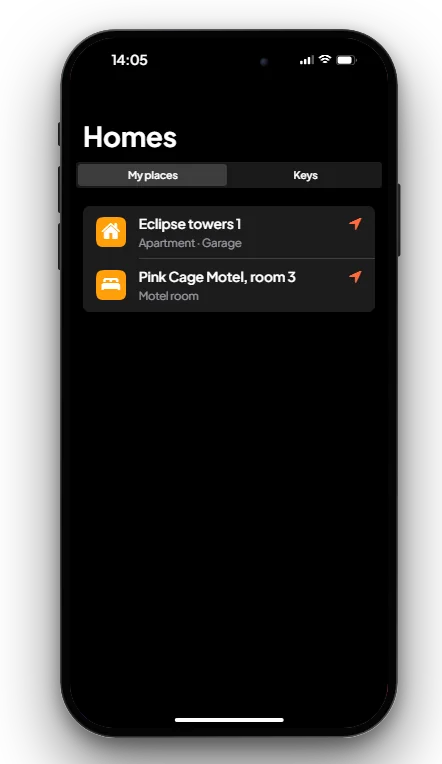
The Homes app lists the houses you own, the motel rooms you rent and the keys you have been given, and sets a GPS waypoint to any of them.
How it works
- Open Homes. My places lists your houses (see Property System) and your rented motel rooms (see Motel System).
- Press the arrow next to a place. A GPS waypoint is set to it.
- Keys lists the houses other players gave you keys to.
The app only shows places; buying, renting and giving keys are done at the house or motel itself.
Keys & commands
| Key / command | What it does | Who |
|---|---|---|
| F1 | Opens the phone | Everyone with a phone |
Config options
There are no options for this app. The places come from the housing and motel scripts.
Admin Quick Test
Setup
- Type
/giveitem me phone 1and/giveaccountmoney me bank 200000. - Buy a house (see Property System) and rent a motel room (see Motel System).
Stage 1: my places
- Press F1 and open Homes. The house and the motel room are listed under My places.
- Press the arrow next to the house. A GPS waypoint is set to it on the map.
Stage 2: keys
- Give a second player a key to the house. On their phone, the house shows under Keys.
The end. Owned and rented places and given keys show in the app, with GPS.
If it doesn't work: the house was not bought on this character, the motel rent has run out, or the housing or motel script is not started.